Features
Every screen you are going to use
No simulation and no mockups: the captures below come from the running app, with a calendar for three professionals and a month of appointments.

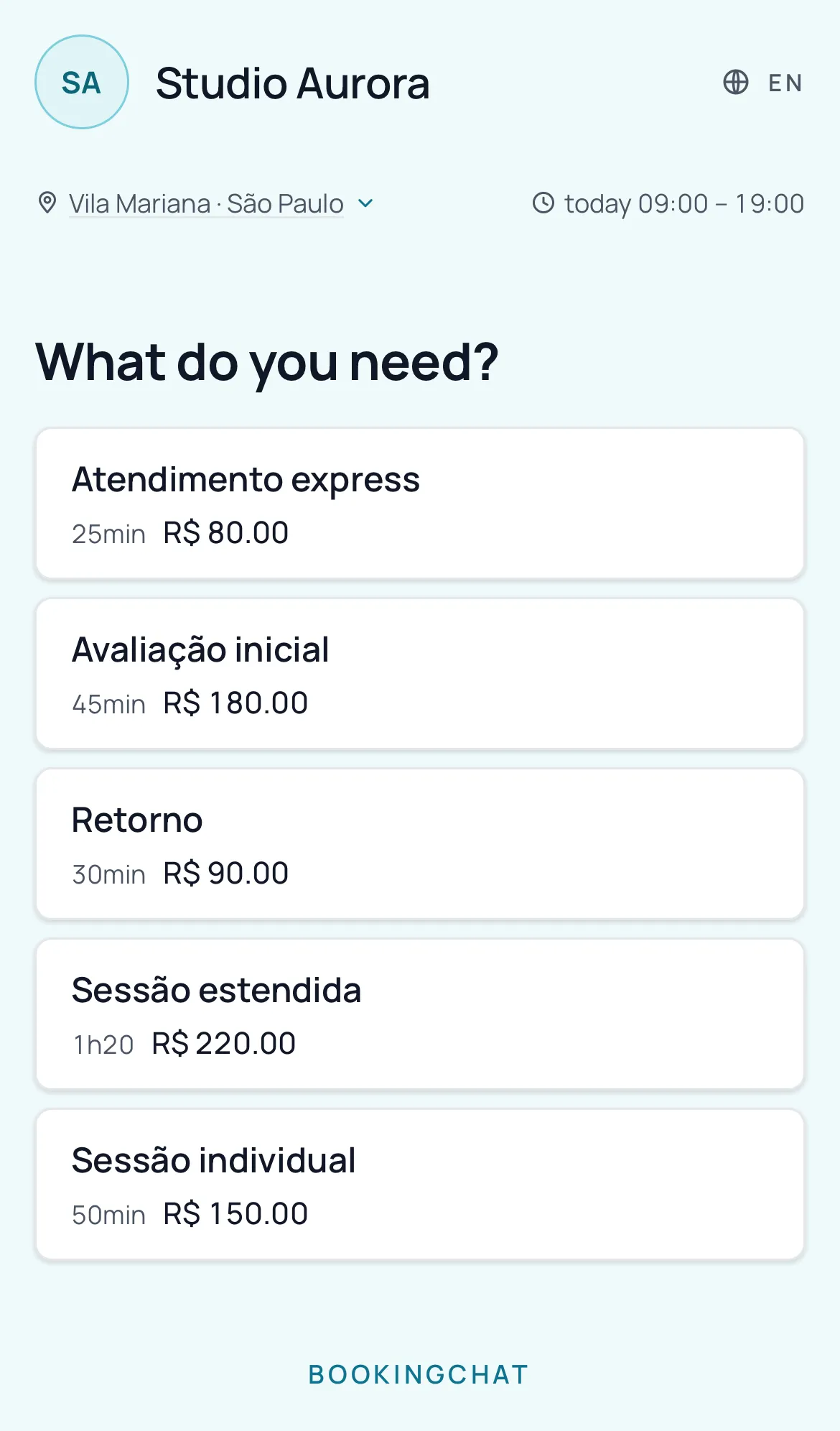
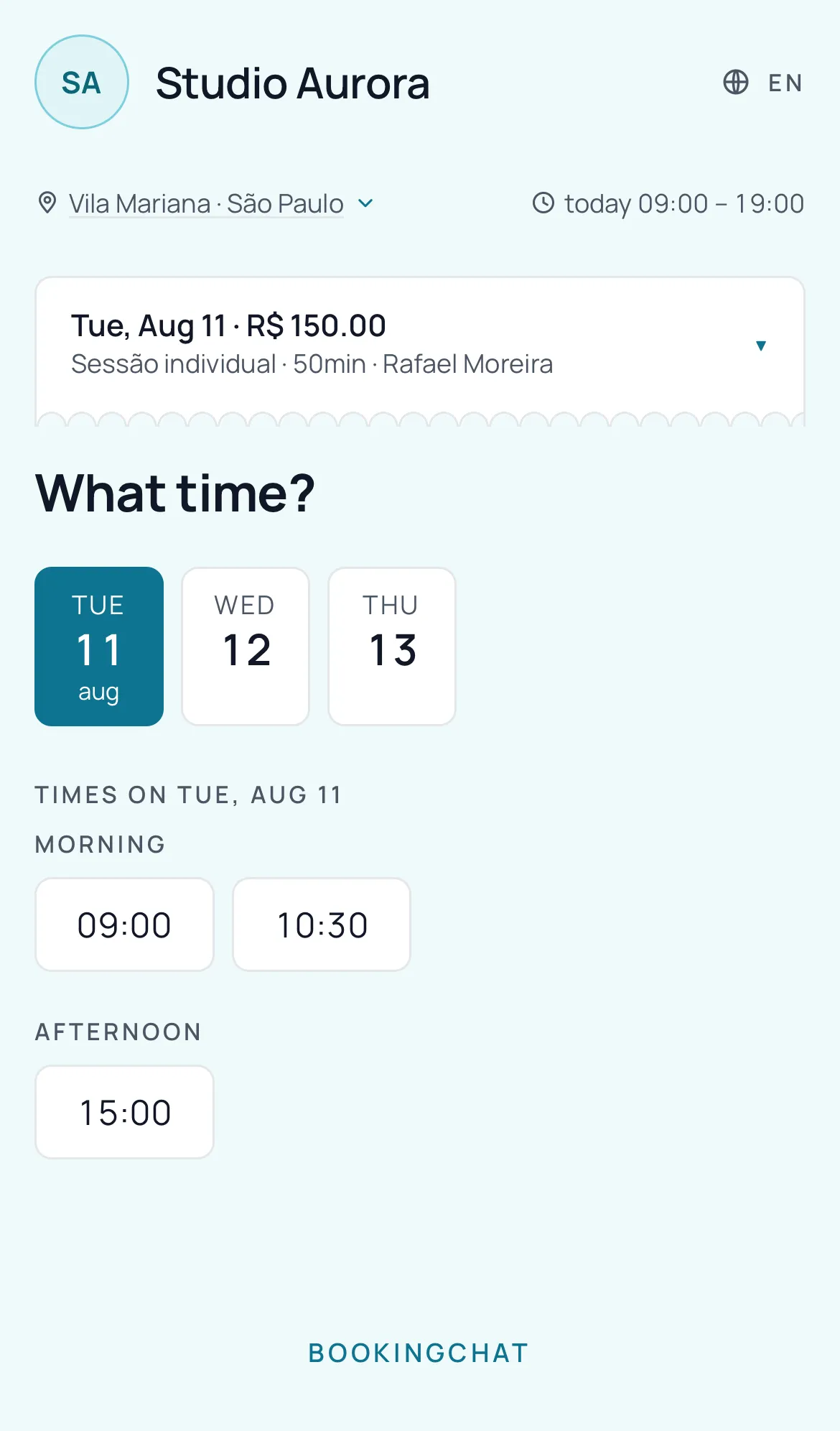
The page your client opens
This is not an app screen: it is your page on the web, with the business name, the neighbourhood and today’s opening hours at the top. It is what your link opens, and the client installs nothing to use it.
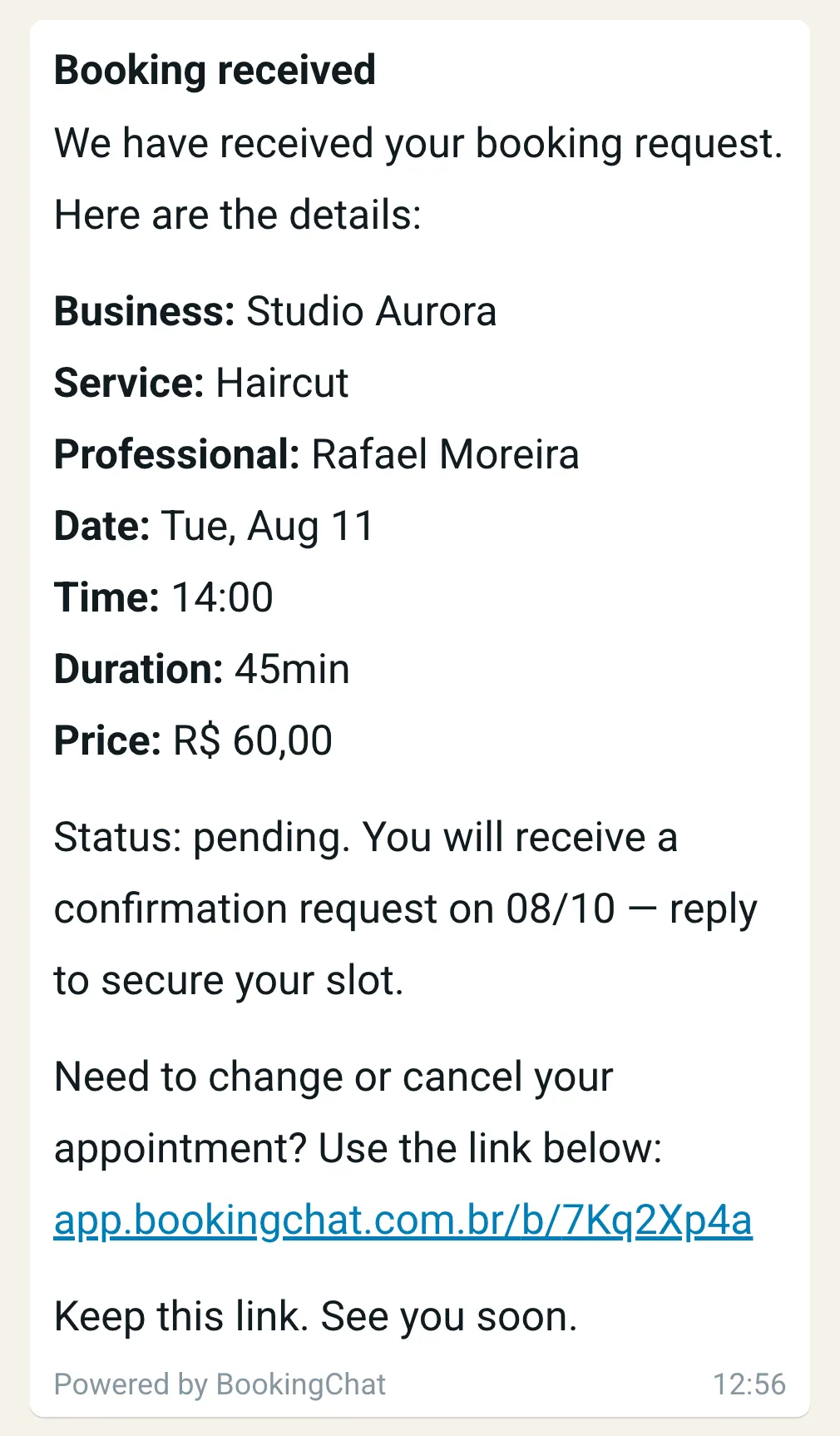
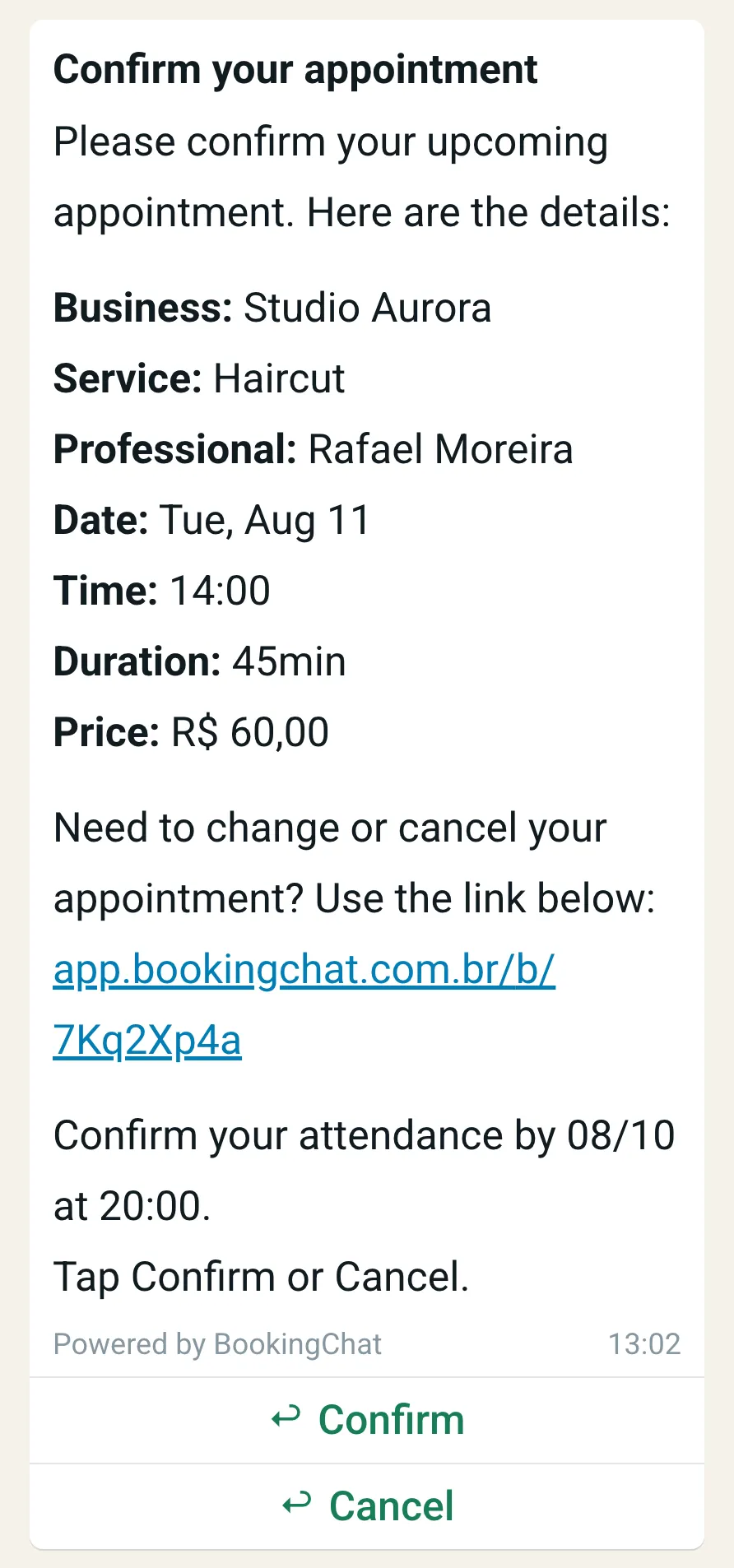
WhatsApp does the part you don’t have time for
The moment your client books, they get the receipt with service, professional, day, time and price — plus the link to change or cancel on their own.
Before the appointment, the confirmation request arrives. They reply in one tap, and you open the app knowing who’s coming.
Your day, on the first screen
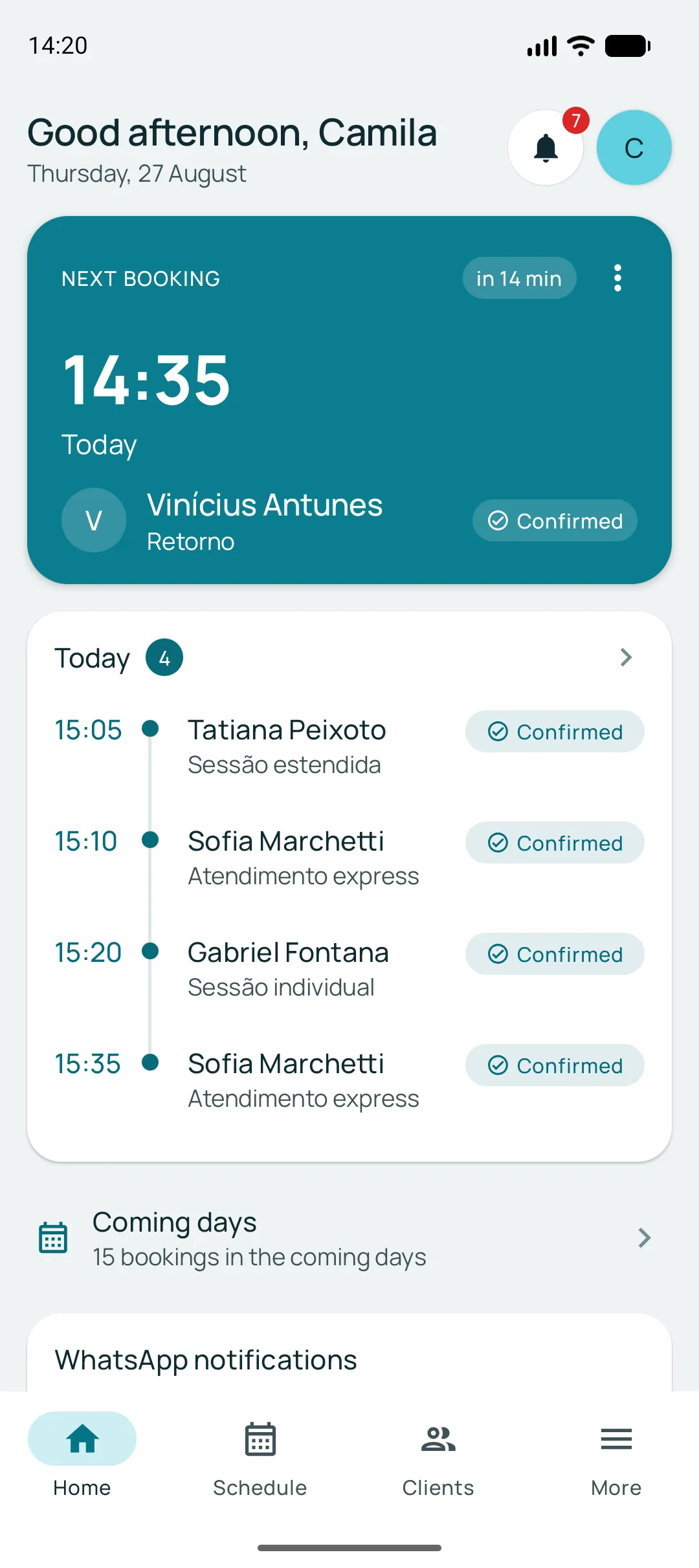
The app opens on the next appointment: who it is, which service, how long. Below it, the rest of the day in order — with nothing to go looking for.
It works without signal too. The day’s calendar is kept on the device, and the app tells you when what you are looking at is the last version it managed to fetch.
Confirmed, pending or cancelled — always in sight
Every booking carries its state on its own row. You know who has not replied yet before the appointment arrives, not after.
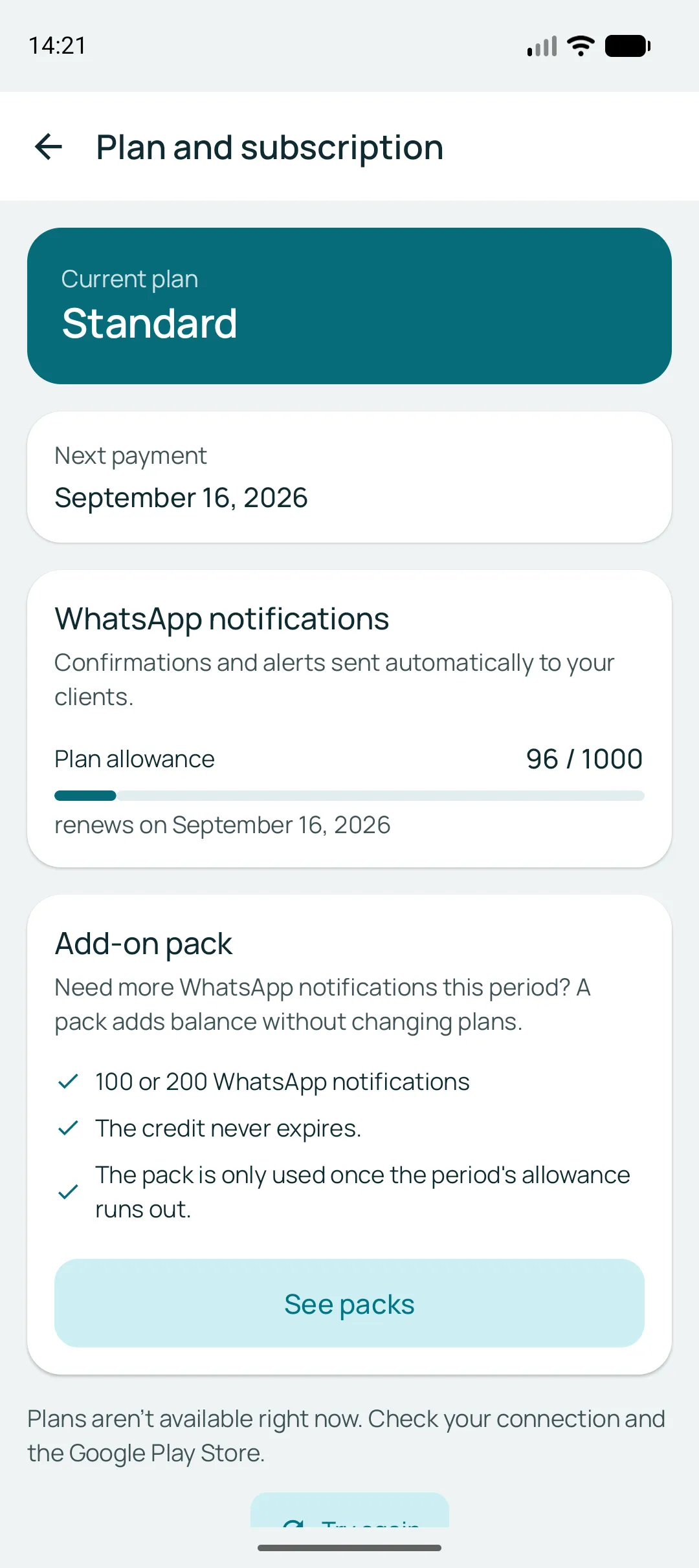
On the same screen sits your plan’s WhatsApp notification allowance: how many have gone out, how many are left, and the day it renews.
Three calendars, one screen
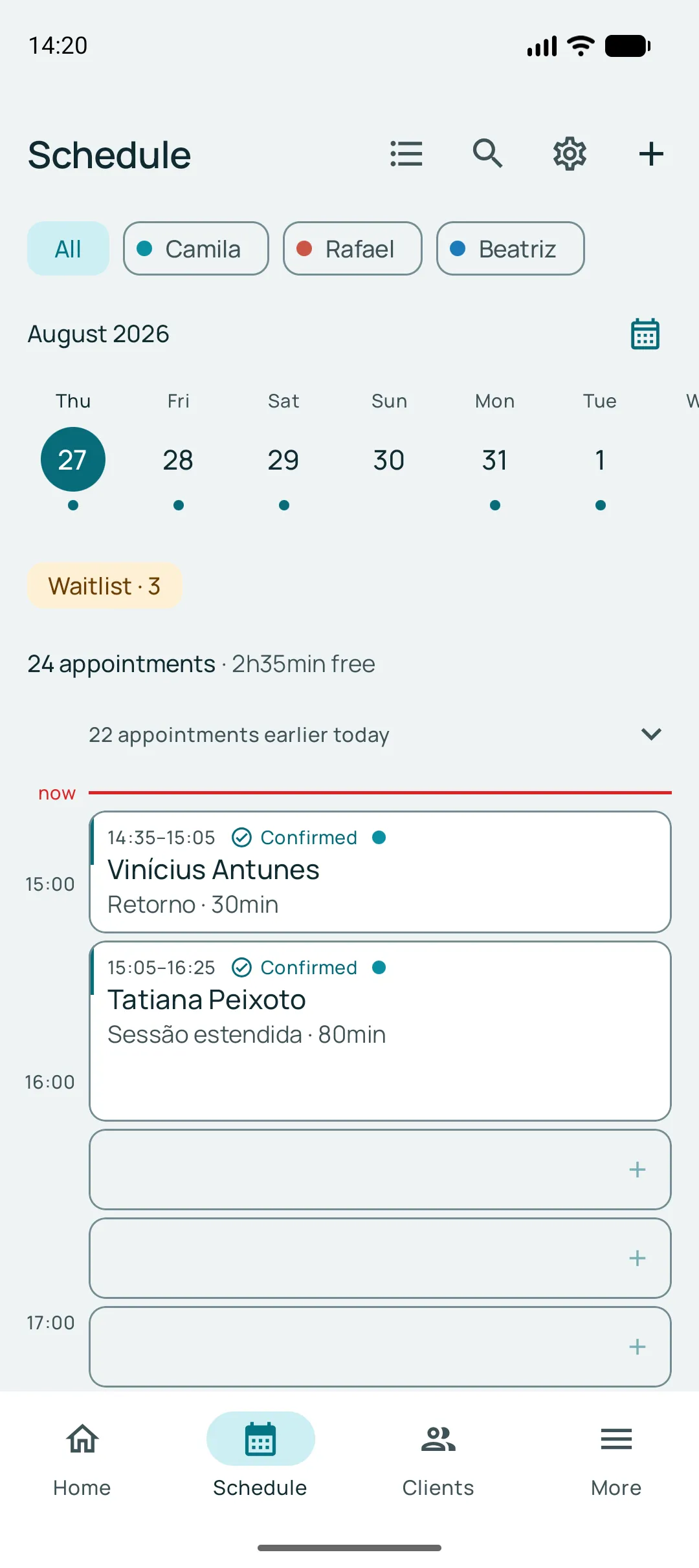
Every professional has their own calendar, in their own colour. See them all together or filter to one, with the "now" line showing where the day is.
The empty gaps are tappable: you can book right there, at the time you are looking at. And the header already tells you how many appointments and how many free hours the day holds.
The calendar respects your routine
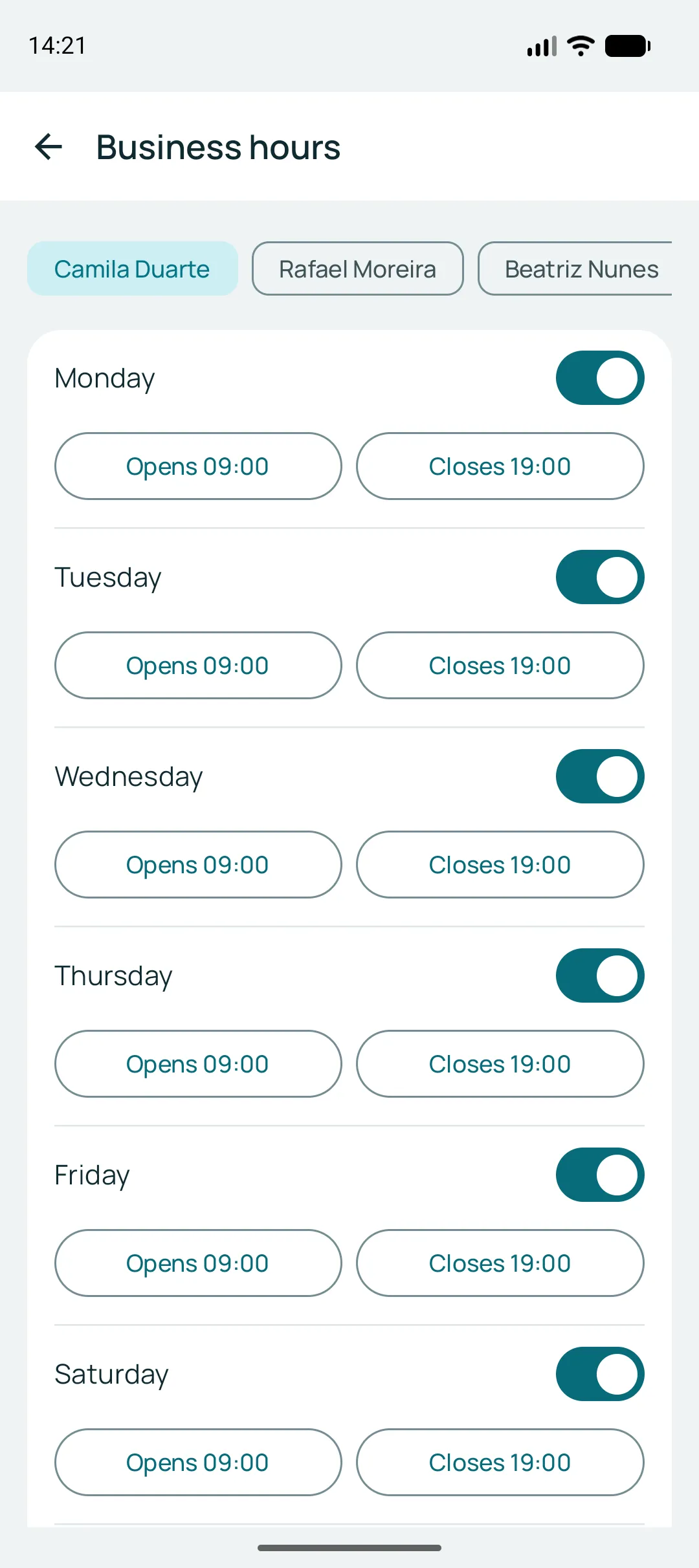
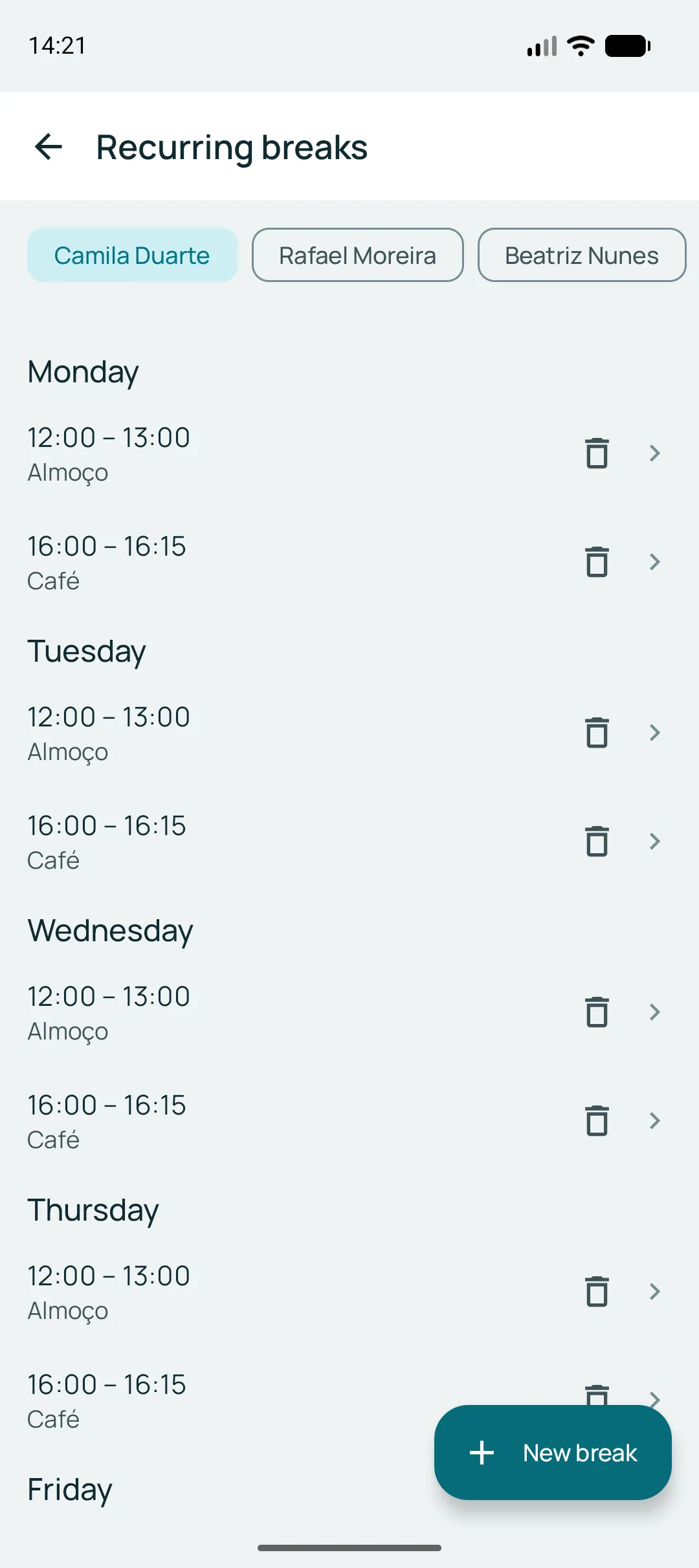
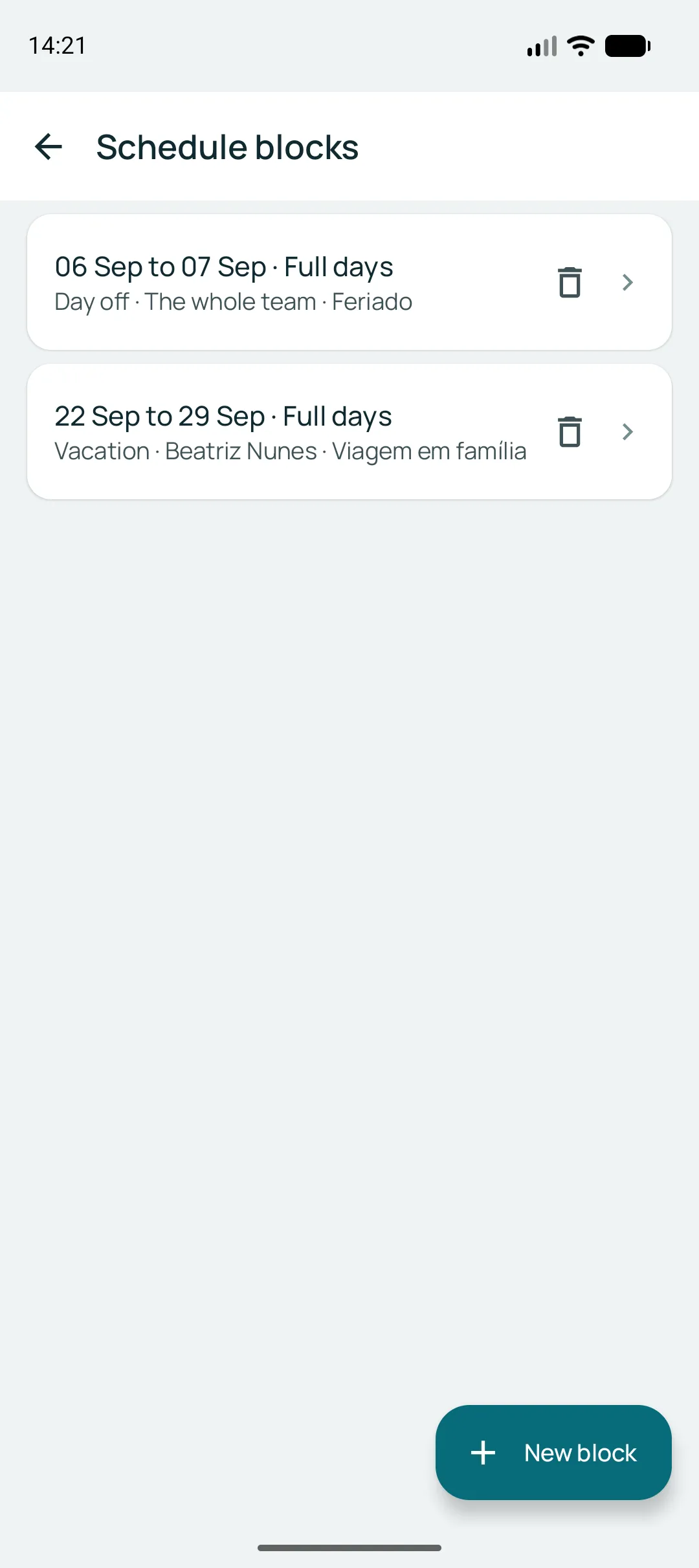
Opening hours per professional, breaks that come back every week, and blocks for holidays and time off. No client can book over your lunch.
Your services, your prices
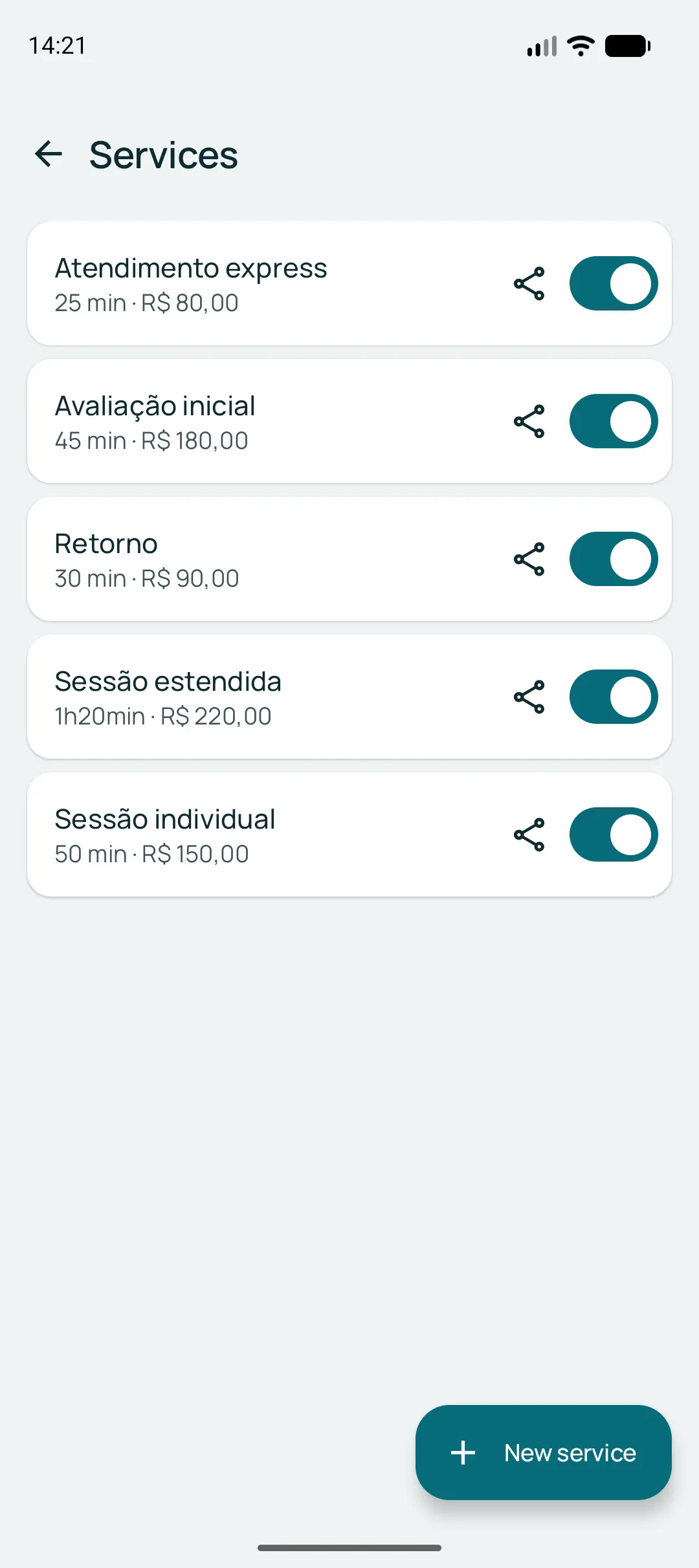
Name, duration and price. The duration is what builds the client’s grid of times — an 80-minute service never lands in a 30-minute gap.
Unlimited on every plan. And when a professional charges differently for the same service, they adjust their own price and duration without touching the business catalogue.
Your team, with no plan limit
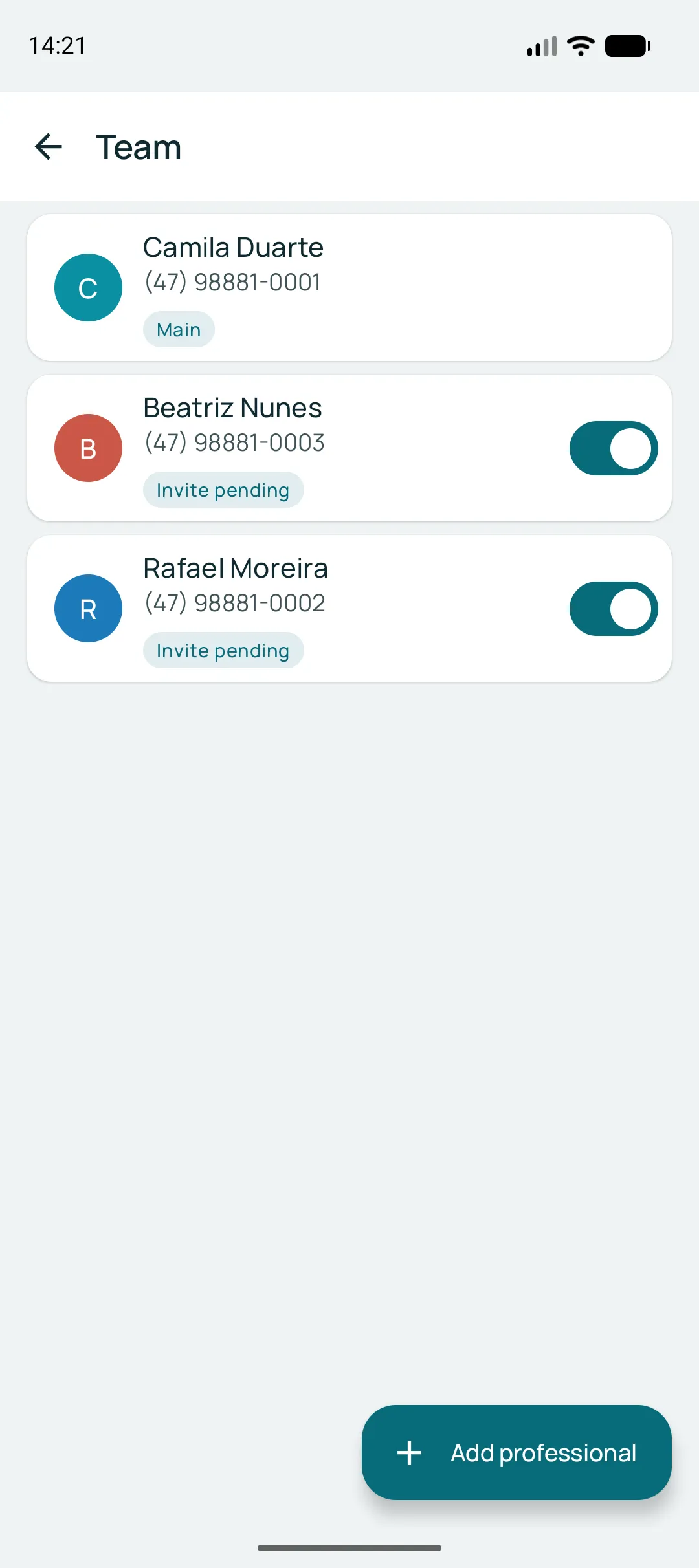
Professionals are unlimited on every plan — what the plans measure is notifications, not people. Each one goes in with a name, a phone number and a colour that identifies them on the calendar.
If you want, they get an email invitation and their own login, seeing only their own calendar. If you do not, you keep running everything from your app.
Everyone who has been through here
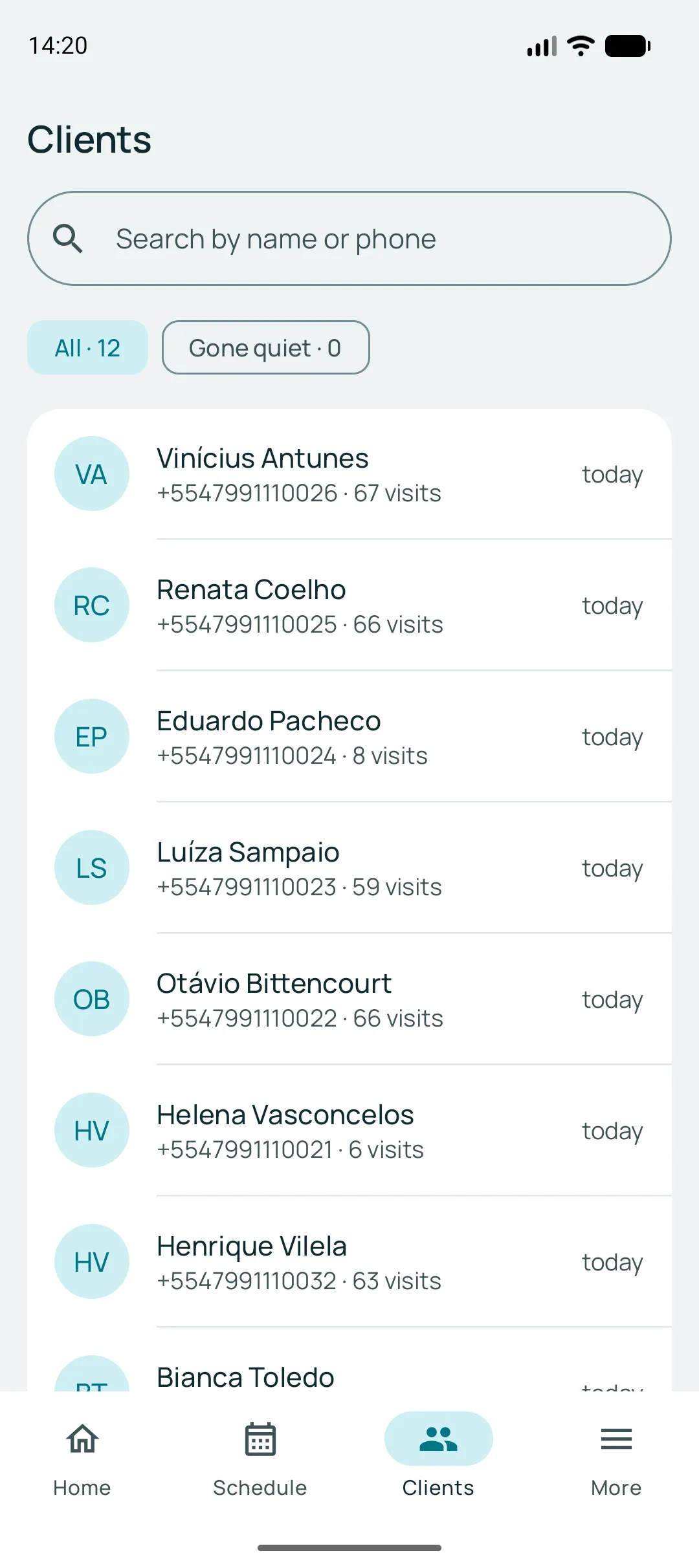
The list builds itself from the appointments that already happened — you do not register clients. Open a name and you see how many times they came, how many they missed, how much they have spent and everything they booked.
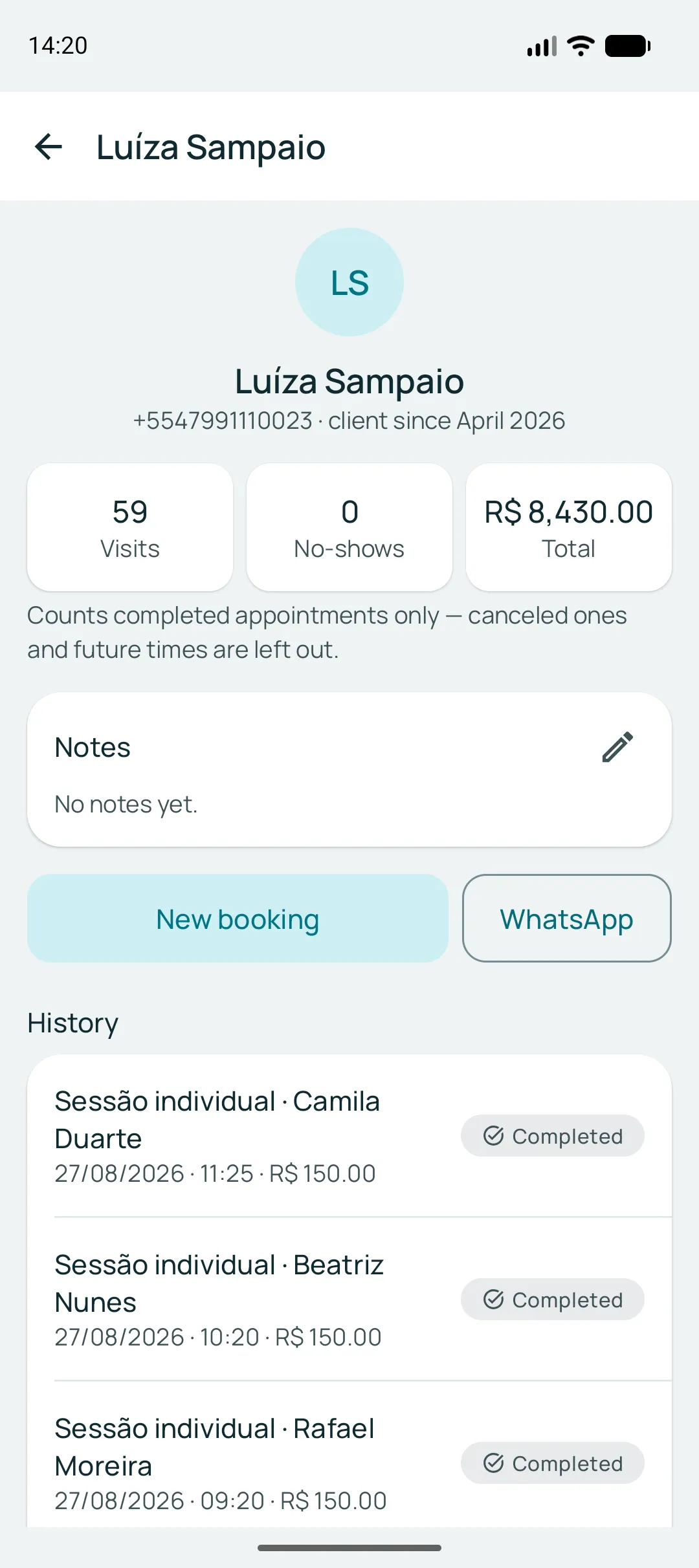
From right there you book their next time, with the phone number already filled in. The total spent shows only to you — the people who work with you see the history, not the revenue.
One link, three ways to hand it over
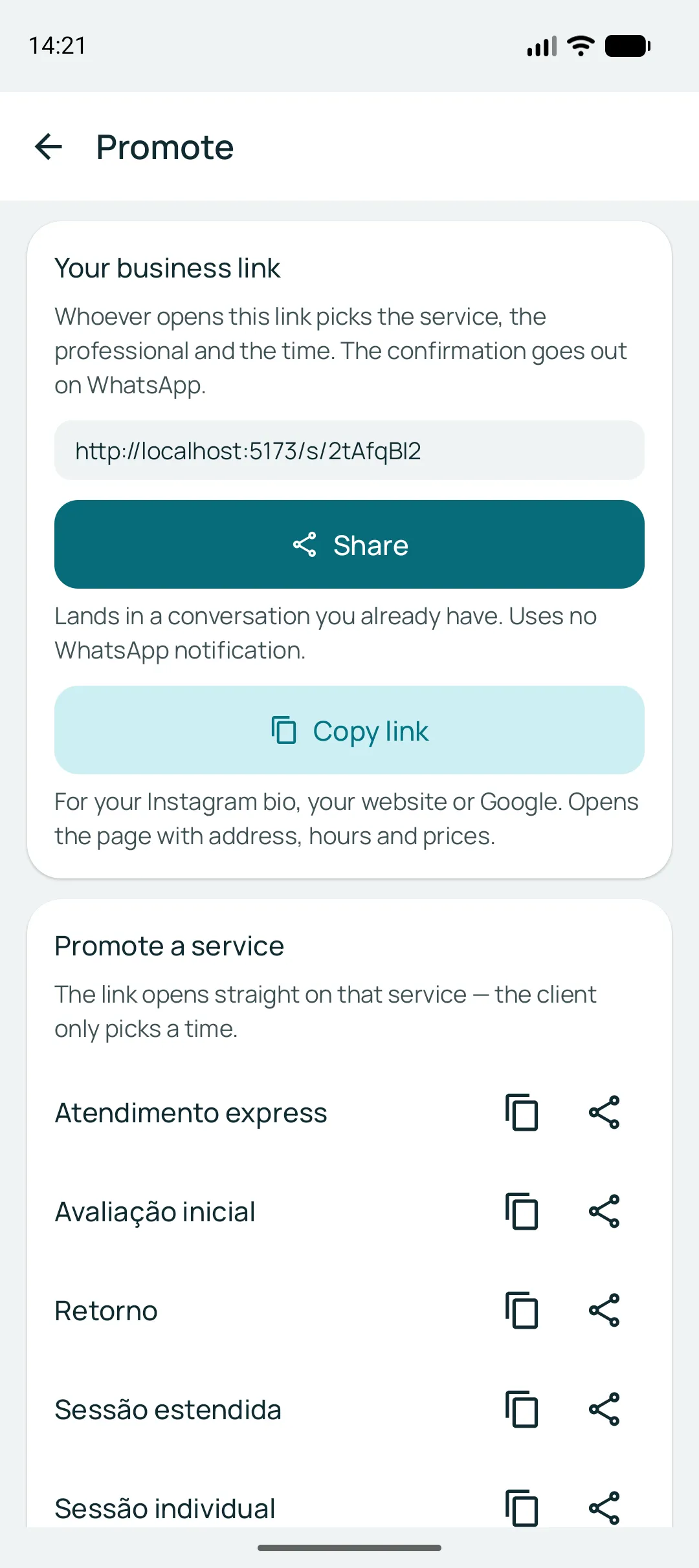
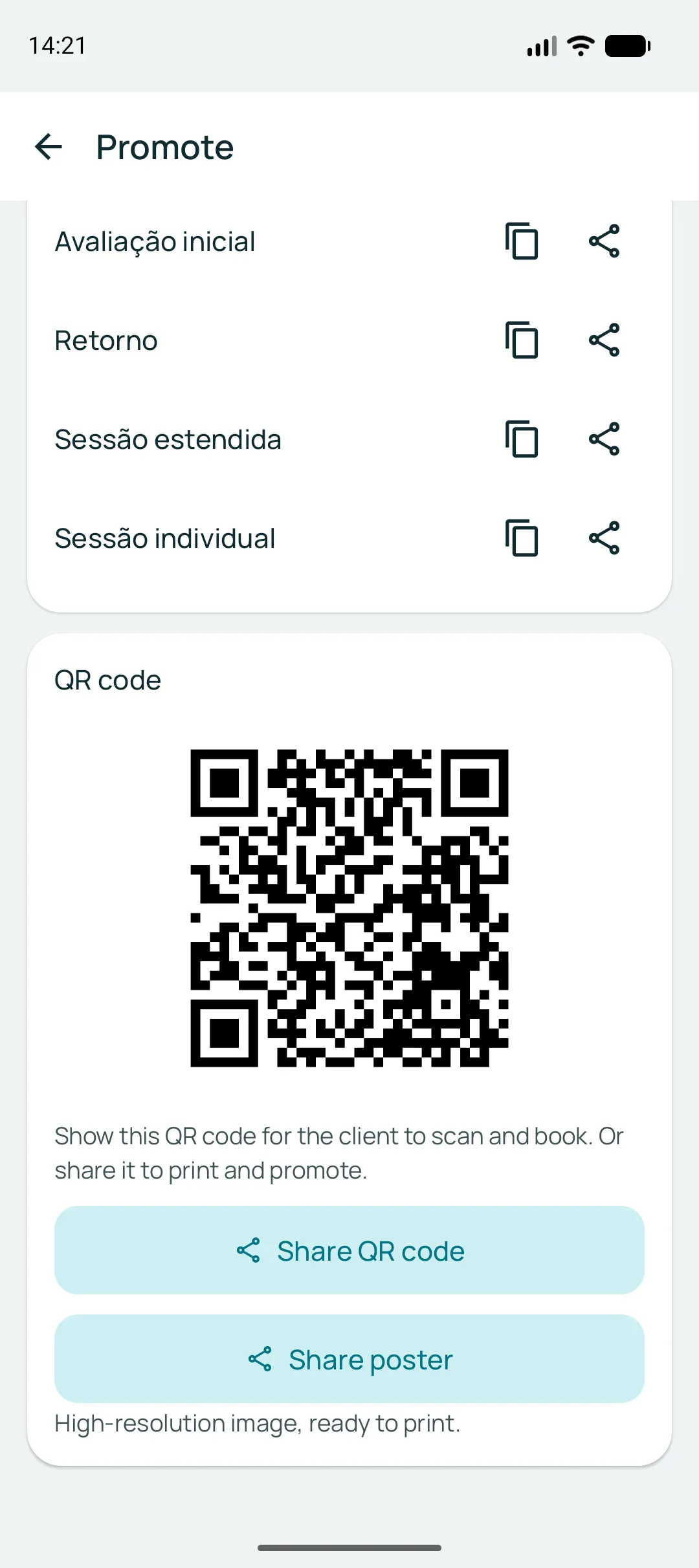
The business link goes in your Instagram bio and your WhatsApp status. Each service also has its own, to promote one offer without opening the whole catalogue. And the QR code handles the counter.
Appointment over? They book the next one
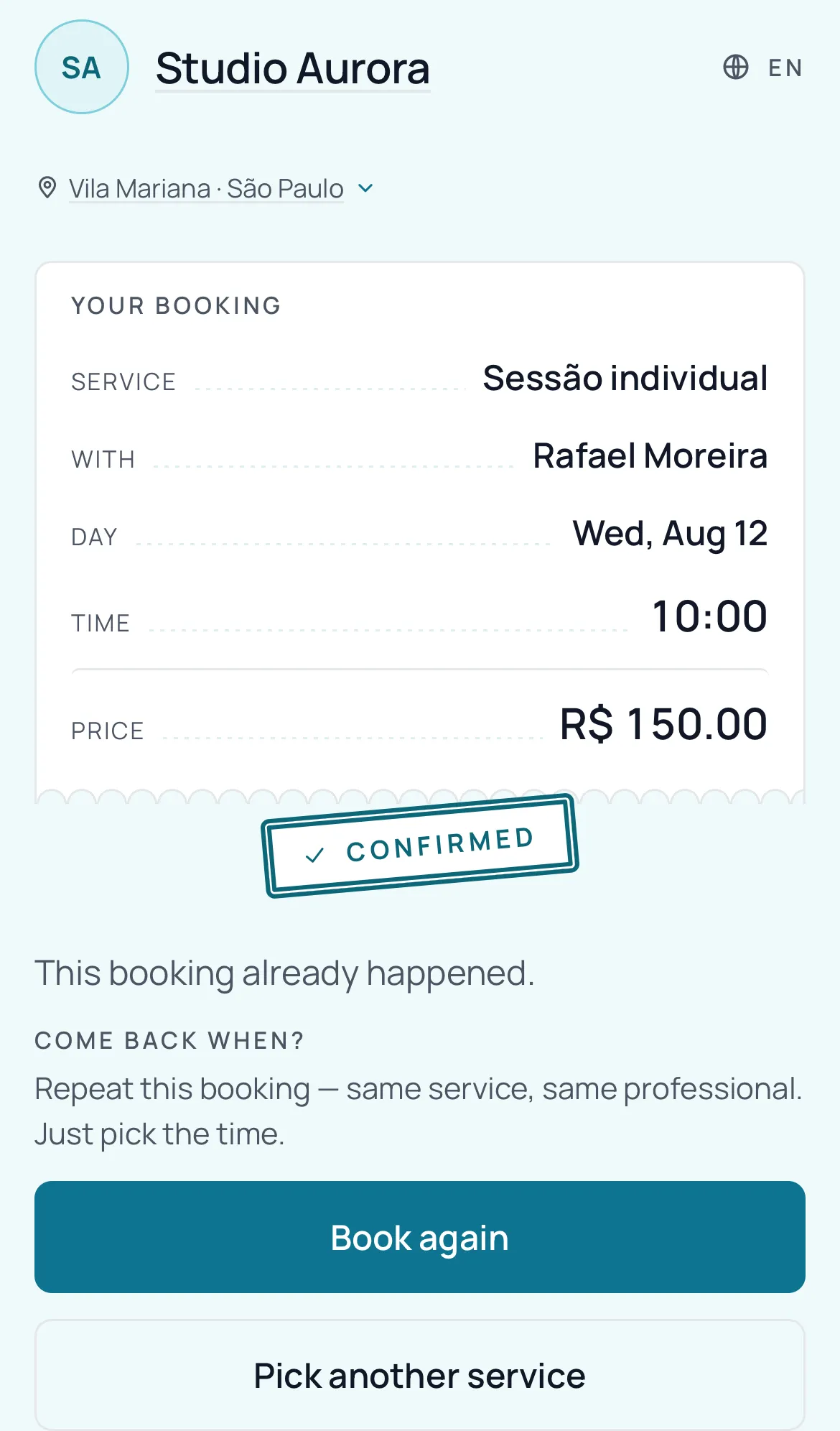
The link the client received keeps working after the appointment. Completed or cancelled, the same page offers to repeat it — with the service and the professional already chosen.
They do not type their phone number again and you do not have to remember to chase them. And because the link was already delivered in a message you paid for, repeating costs no new notification.
Day full? The slot is not lost
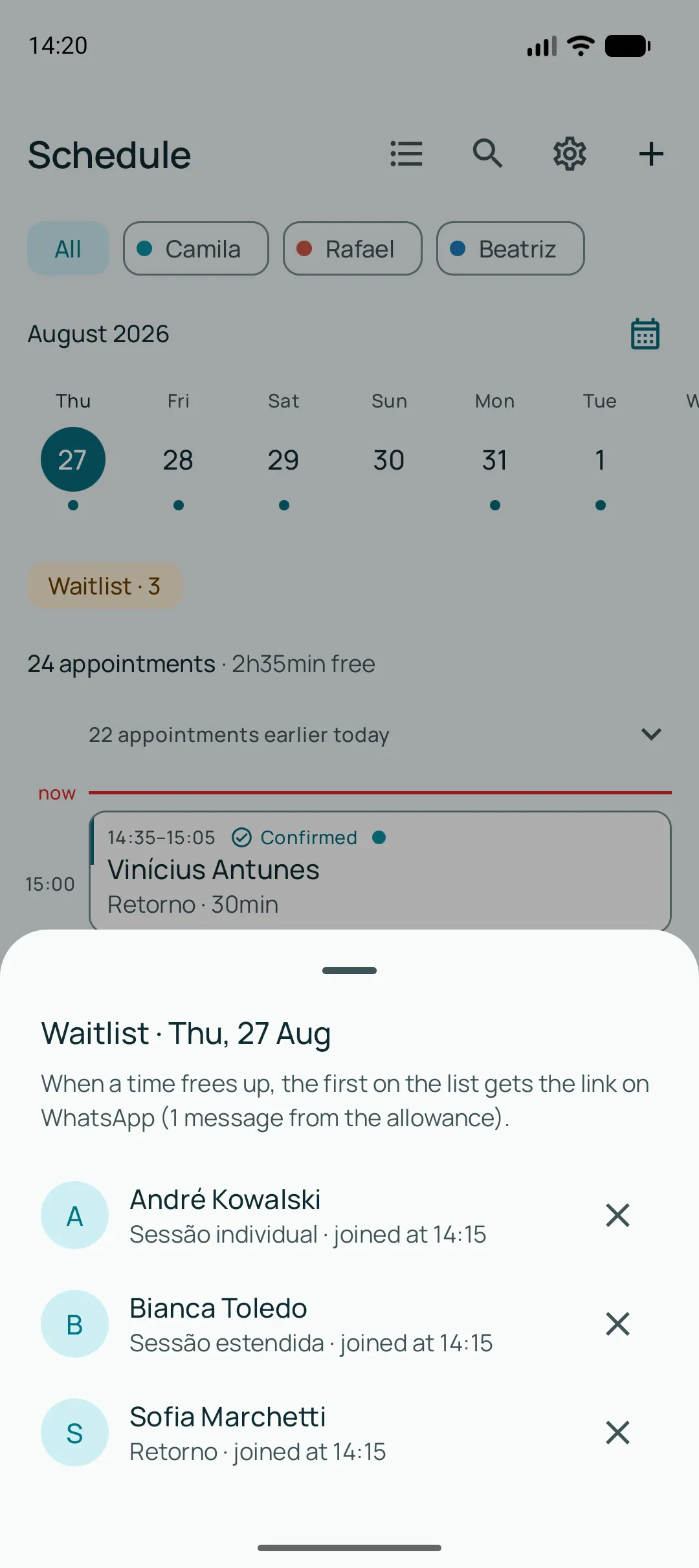
When the client opens the link and picks a day with no free times, they can leave their phone number. If someone cancels, the first in line gets the link on WhatsApp — and books it themselves.
Only whoever fits is notified: a half-hour slot that opened up does not call someone who asked for a three-hour service. And it notifies one person, because there is one slot — calling five would spend five notifications to disappoint four.
The month in numbers
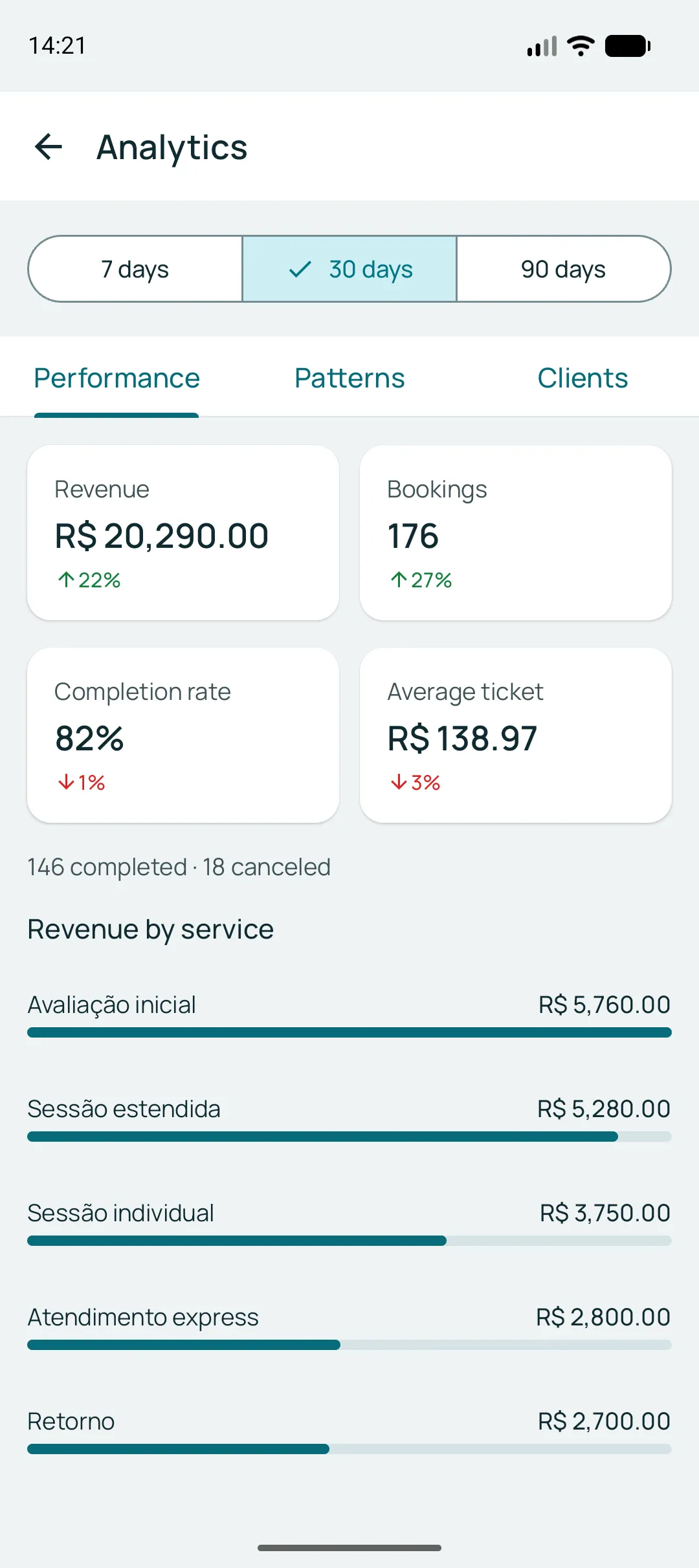
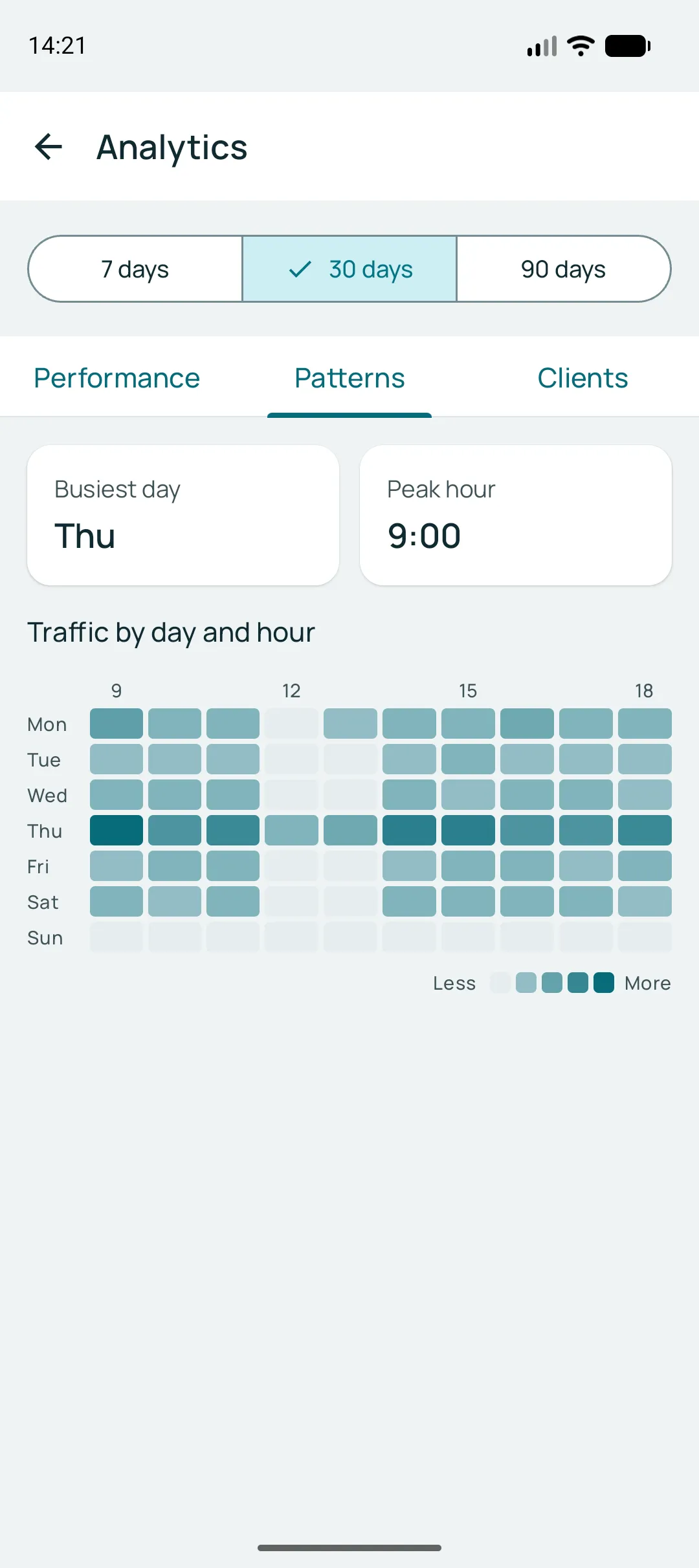
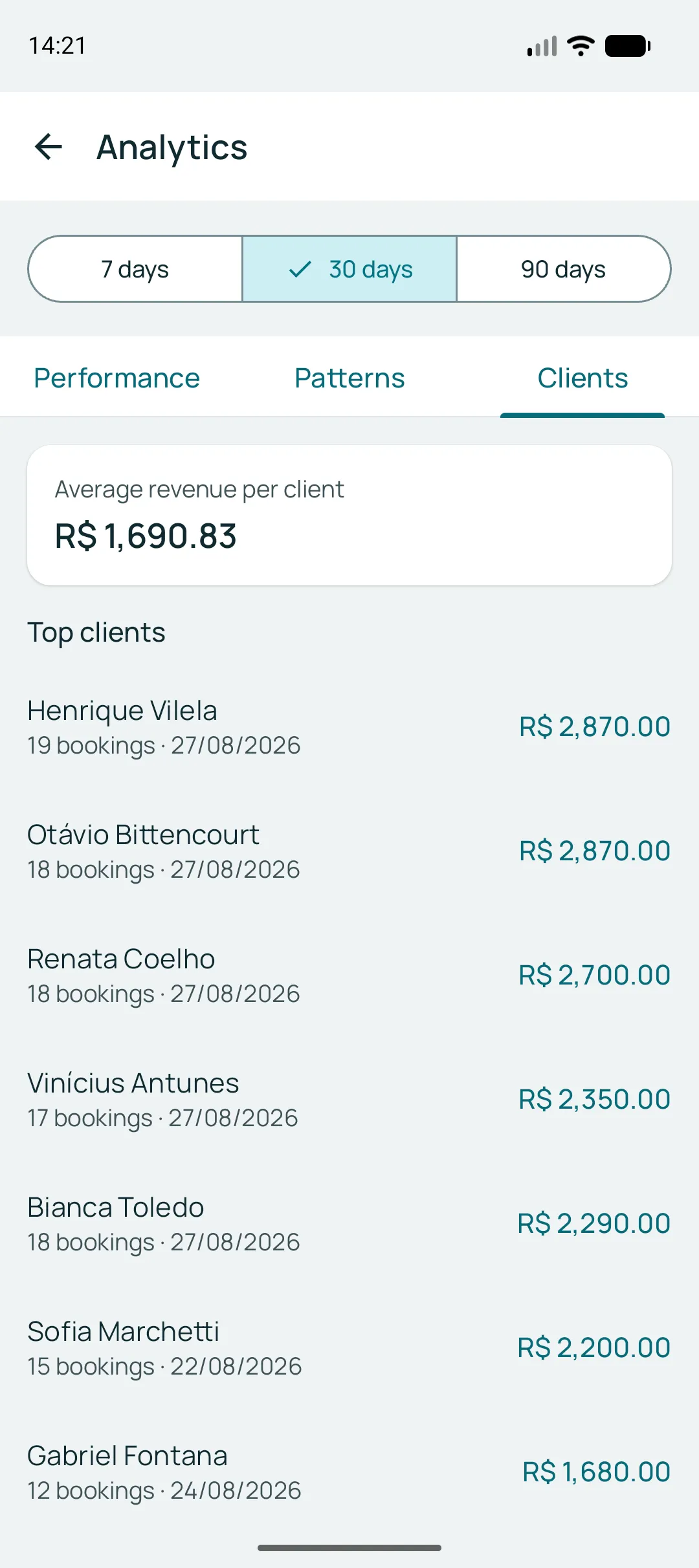
How much came in, how many appointments, how many went the distance, and which clients keep coming back. Over 7, 30 or 90 days.
All of this fits on your phone
Signing up and setting up happen in the app. You install it, create the services, and you can already share your link.
See the client’s path, from the link to a confirmed time