

In practice
How can I reduce no-shows and last-minute appointment cancellations?
Communicate the service, date and time clearly, make it easy to cancel and decide what happens without a reply. Use a waiting list to try to fill released spaces. These steps support a clearer routine but cannot guarantee attendance or a replacement booking.
In this guide
1. Make the appointment clear and cancellation easy to communicate
To manage no-shows, first check whether customers know the service, date, time and how to say they cannot attend. Confirmation helps clarify the arrangement but does not guarantee attendance.
Set a routine for checking replies and deciding what to do without a response. If you release a space, check the waiting list and real availability before offering it. Choose a policy that fits how you work.
- Present booking details clearly.
- Provide a straightforward way to cancel or reschedule.
- Compare no-shows and cancellations over comparable periods.
2. Choose when to request confirmation
Check whether requests are enabled for 24 or 48 hours before the appointment. They are separate from the receipt sent when a booking is created.
Sending depends on an active plan, message balance and appointment conditions. Short-notice bookings may not have the same notification window.
BookingChat product demo. The information shown is illustrative.
3. Decide what happens without a response
Review the response deadline and optional release of unconfirmed appointments. When enabled, no response can lead to cancellation; choose based on your operation.
If you agree on something by message, check the app status. A reply outside the system does not mean the booking was updated.
4. Use the waiting list for busy days
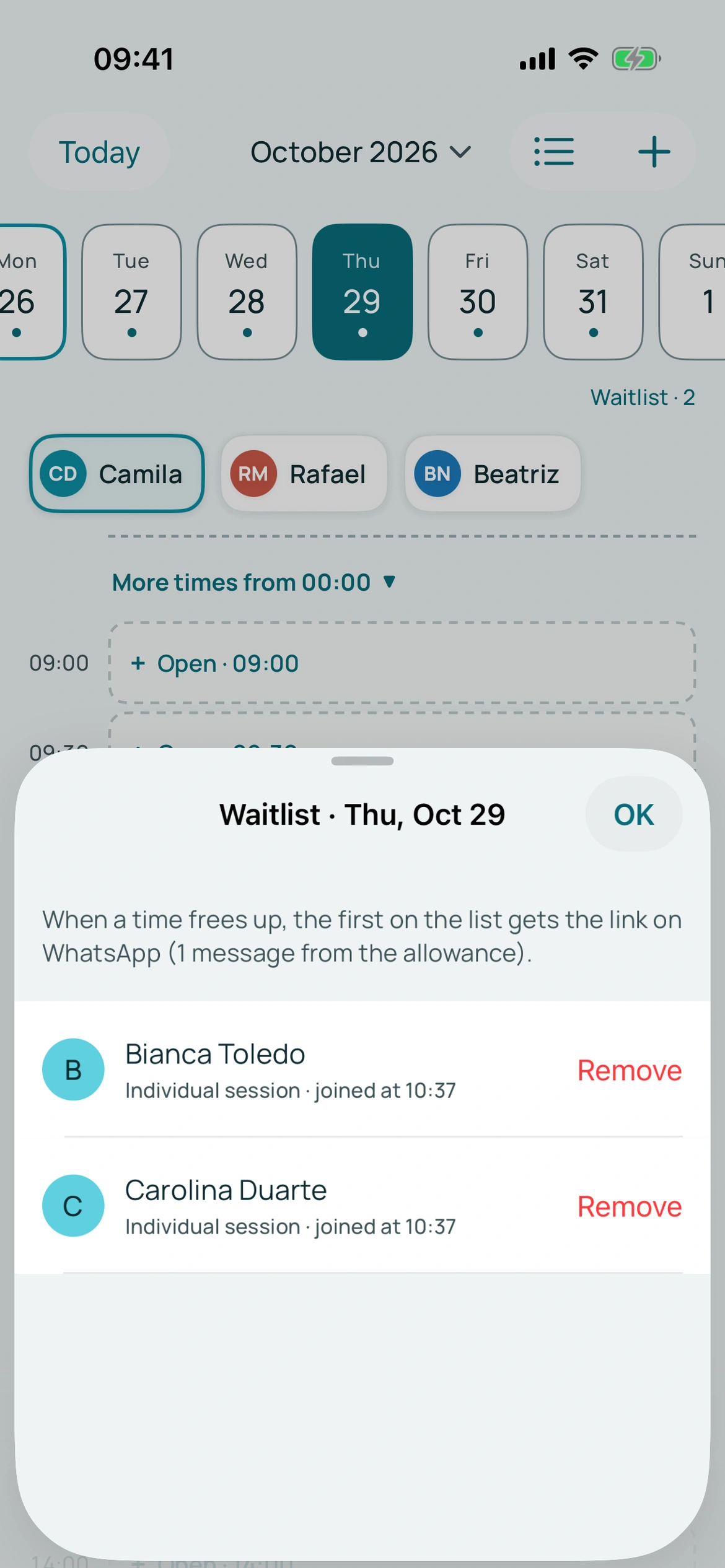
When enabled, customers can leave contact details for a full day. If a cancellation meets the conditions, the system notifies the first person through WhatsApp.
A notification does not guarantee a new booking or automatically allocate the space. Keep checking your calendar. These tools do not guarantee any particular no-show rate.
Put it into practice in your calendar
No card required to try it.
App for Android and iPhone. Your customer books in their browser.