

In practice
How can I attract Black Friday customers without discounting every service?
Choose a service, a period and a goal for the offer. Check your capacity and costs before publishing it. Communicate genuine conditions and compare bookings and completed appointments without treating a discount as a guarantee of new customers.
In this guide
1. Start with the appointment time you want to fill
An offer is more useful when it addresses a situation: a quiet period, a less familiar service or a reason to try something the customer already wants. Choose the objective before lowering a price.
Illustrative example: a nail professional could offer a condition for specific afternoons without discounting every extension appointment that week. Check duration and capacity before advertising spaces.
- Choose a service and dates you can accommodate.
- Explain what is included and the genuine conditions.
- Compare bookings and completed visits as well as likes.
2. Set services, dates and prices
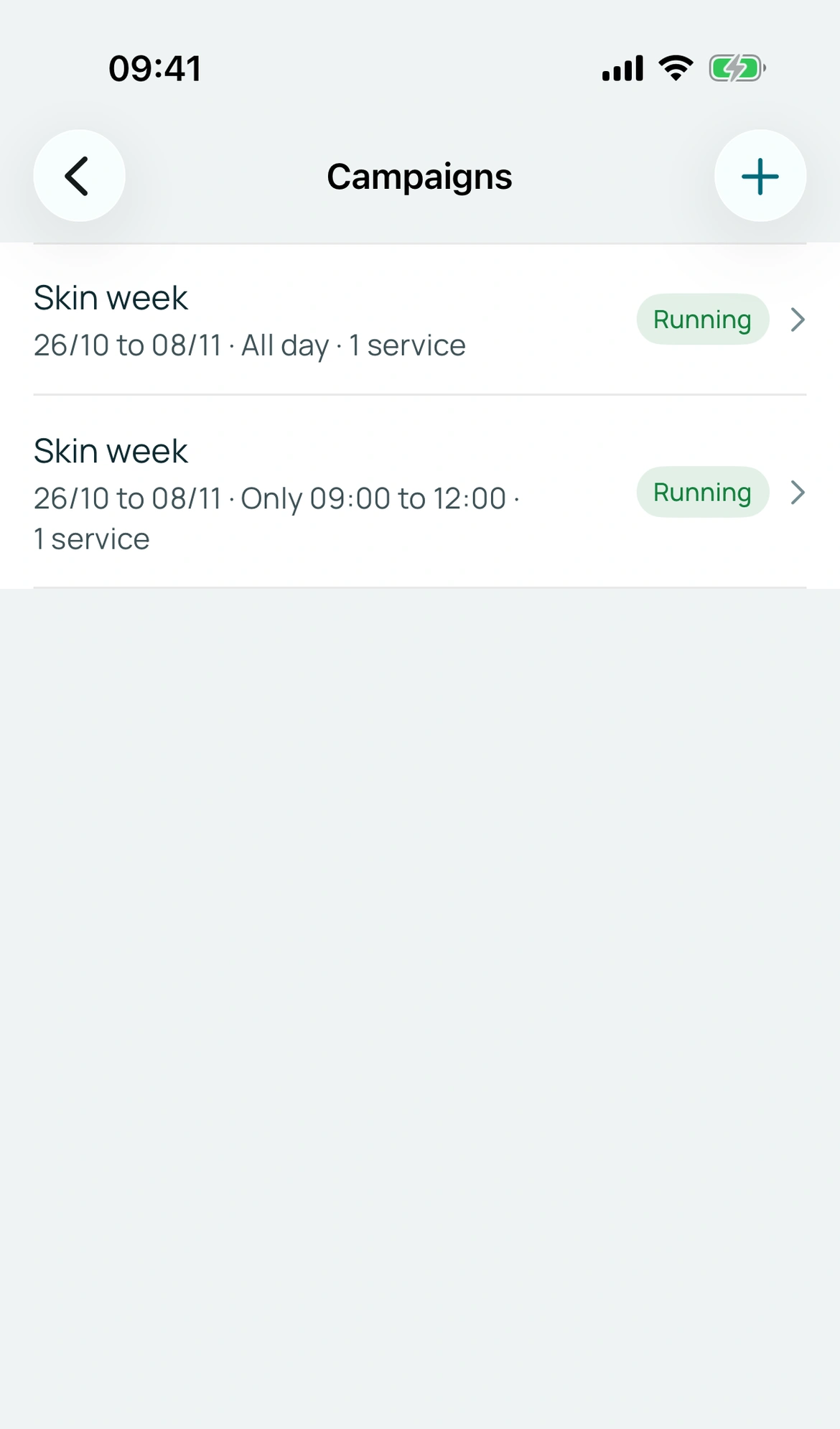
In Campaigns, choose services, start and end dates and promotional prices. You can restrict the offer to a daily time window. An active plan is required, including the trial.
The offer follows the appointment date and start time, not just when someone opens your link. Include future appointment dates if that is what your Black Friday offer covers. The same service cannot appear in campaigns with overlapping dates.
BookingChat product demo. The information shown is illustrative.
3. Check before sharing
Open the link and check appointments inside and outside the promotion. Extras have their own prices: verify the total before promising a discount on them.
Share through the marketing kit and say when the service must take place. The booking records its applied price; ending the campaign does not automatically rewrite an existing reservation. Discounts do not guarantee increased demand.
Put it into practice in your calendar
No card required to try it.
App for Android and iPhone. Your customer books in their browser.