

In practice
Why does my calendar have gaps that customers cannot book?
A gap may be too short for the full service. Check duration including extras, working hours, breaks, blocks and possible start intervals. Then test the same service and date through the link your customer uses.
In this guide
1. Compare the gap with the full appointment duration
A free start does not guarantee time to finish. A 4:00–4:30 p.m. gap cannot accommodate a one-hour appointment even though the start looks empty.
Test the exact service and extras on the date the customer reported. Check time until the next booking or closing. Then review booking horizon, start intervals and capacity; increasing capacity does not correct an inaccurate duration.
- Use the same service and extras as the customer.
- Check breaks, blocks and overlapping bookings.
- Test the link after correcting the settings.
2. Set the booking horizon and start intervals
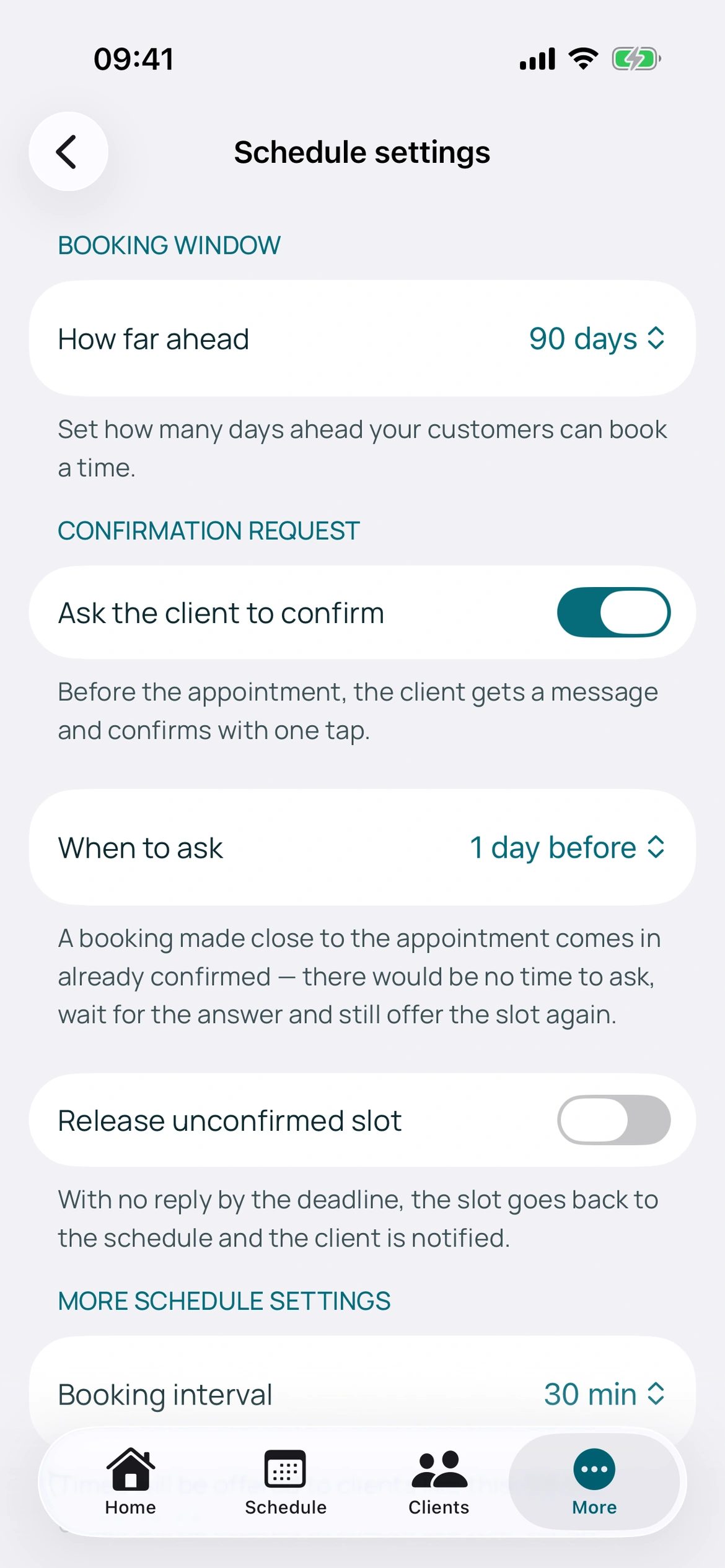
The booking horizon limits how many days ahead customers can book. The interval defines possible starts, not the duration of the work.
Offering starts every 15 minutes does not turn a one-hour service into a 15-minute appointment. Availability still considers its full duration and existing bookings. Some settings require an active plan.
BookingChat product demo. The information shown is illustrative.
3. Set capacity carefully
Capacity ranges from 1 to 5 per calendar. Use 1 for exclusive appointments. Changing global capacity applies the default and clears individual overrides; you can then adjust a professional’s calendar.
The number of professionals is not the capacity of one calendar. Bays and equipment are not allocated automatically. Check a typical day through your link before sharing changes.
Put it into practice in your calendar
No card required to try it.
App for Android and iPhone. Your customer books in their browser.