

In practice
How can I avoid scheduling confusion when several professionals take appointments?
Define who provides each service and when each professional is available. Record changes in the correct calendar and check the customer selection through the link. Having two people on a team does not mean one person can handle two overlapping bookings.
In this guide
1. Know who is providing the service before offering a time
A generic calendar can hide different skills or shifts across professionals. Start with each person’s availability and the services they can actually provide.
Illustrative example: one professional can handle maintenance while another takes a new set at the same time. That uses two calendars; it does not mean each can take two customers at once. Check changes agreed by phone or in person too.
- Assign services to the right professionals.
- Record days off and changes in the affected calendar.
- Test both the general link and the professional link.
2. Add the people who actually provide services
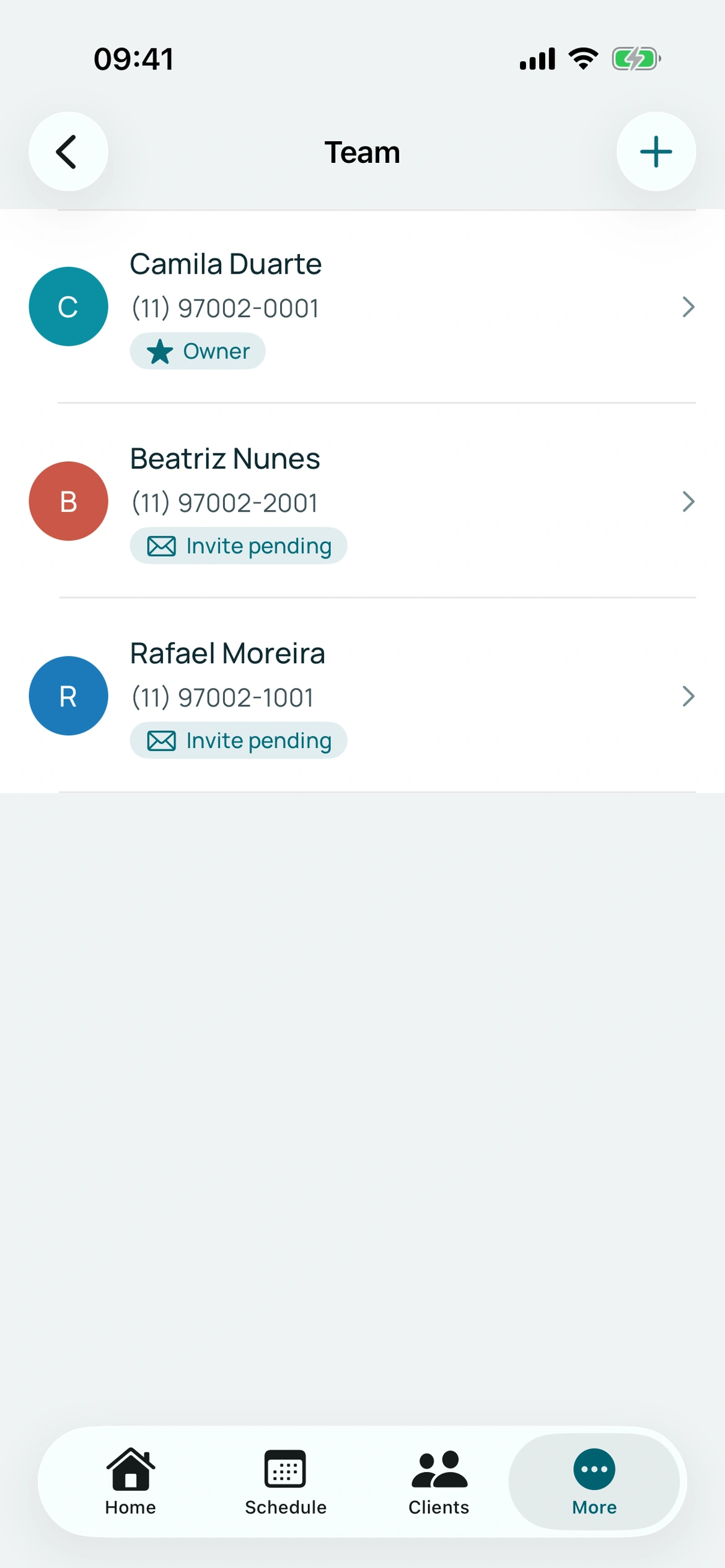
Each professional has a calendar. Review names, assigned services and availability so customers can choose the right person.
If you work alone, you do not need a team. The booking flow supports one professional with fewer choices for the customer.
BookingChat product demo. The information shown is illustrative.
3. Check individual access
Each person uses their own login and manages their calendar under the permissions provided. Business administration, subscription, campaigns and analytics have separate restrictions.
Do not share an administrator account to bypass permissions. Review services and calendars before sharing links.
4. Distinguish people from capacity
Two professionals with separate calendars are not the same as capacity 2 on one calendar. Simultaneous capacity allows overlap within a calendar and must match actual operations.
Check which calendar a change affects. Global capacity applies the default to all and clears individual overrides; review them afterwards if needed.
Put it into practice in your calendar
No card required to try it.
App for Android and iPhone. Your customer books in their browser.