

In practice
How can I increase appointment value with extras customers actually need?
Offer useful additions, explain what each includes and let customers choose before booking. Include the extra time and show the combined amount. A higher total only makes sense when you can deliver the work and the choice is useful to the customer.
In this guide
1. Offer a useful choice without a surprise at the end
An extra should meet a need or offer customization customers can understand. Explain what the main service already includes rather than presenting an expected part of it as an additional purchase.
Illustrative example: a customer adds nail art to a maintenance visit. They need to know the price and extra time before booking, and you need room to deliver it. Check whether people choose the option and whether its duration works.
- Distinguish the main service from the extra.
- Show the price and reserve the additional time.
- Keep the choice optional and the total clear.
2. Name the main service clearly
Use recognizable wording and explain what is included. Avoid creating every possible combination as a separate service when customers can choose extras.
Fixed price, starting from, price on request and free mean different things. Choose the appropriate one. “Starting from” does not automatically calculate every possible variation.
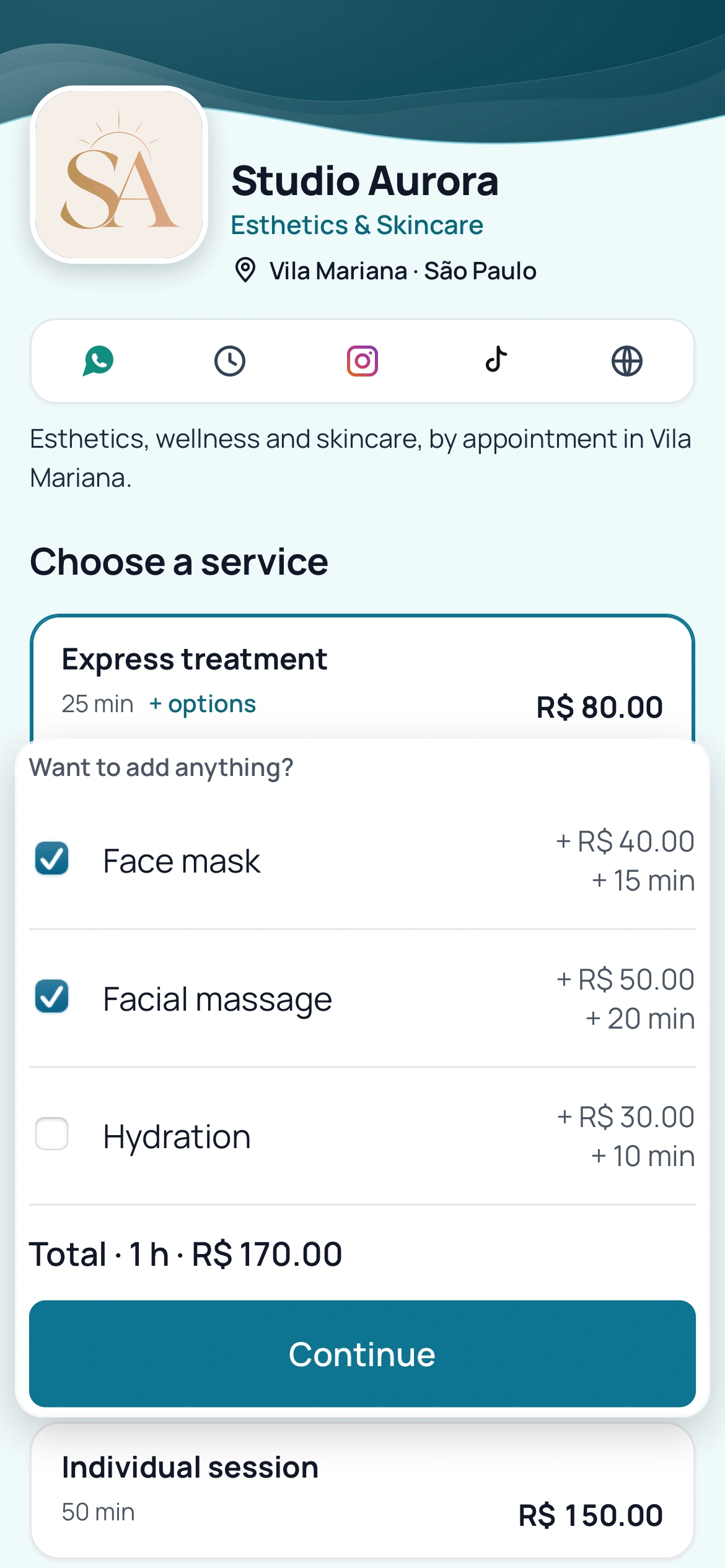
BookingChat product demo. The information shown is illustrative.
3. Set what each extra adds
An extra can add time and price. BookingChat calculates the booking total and uses the complete duration when offering availability.
Illustrative example: a 40-minute service plus a 20-minute extra takes one hour. Use your actual durations; this is not a standard for your profession.
4. Check the customer journey
Open the link and check names, extras, total and available times. If two choices are alternatives, explain this so customers do not select both by mistake.
Add relevant preparation instructions. Keep essential information in the service rather than relying on a conversation after booking that changes the time required.
Put it into practice in your calendar
No card required to try it.
App for Android and iPhone. Your customer books in their browser.