

In practice
How can I get more bookings from Instagram and WhatsApp?
Explain the service you offer and make the next step easy with a booking link. Check that visitors can understand pricing, duration and availability. Start with channels your customers already use and track bookings rather than views alone.
In this guide
1. Make the next step easy for someone already interested
Getting attention and receiving a booking are different stages. A post can explain a service well and still lose an interested visitor if it does not say where to book or the link leads to a confusing list.
Start with a clear service, an image that matches it and instructions to book. Check availability before promoting it. Illustrative example: a repair shop can advertise vehicle drop-off times while explaining that completion depends on assessment.
- Keep the link accessible on the profile or channel customers use.
- Explain which service they can book.
- Distinguish page visits, bookings and completed appointments.
2. Prepare material with the marketing kit
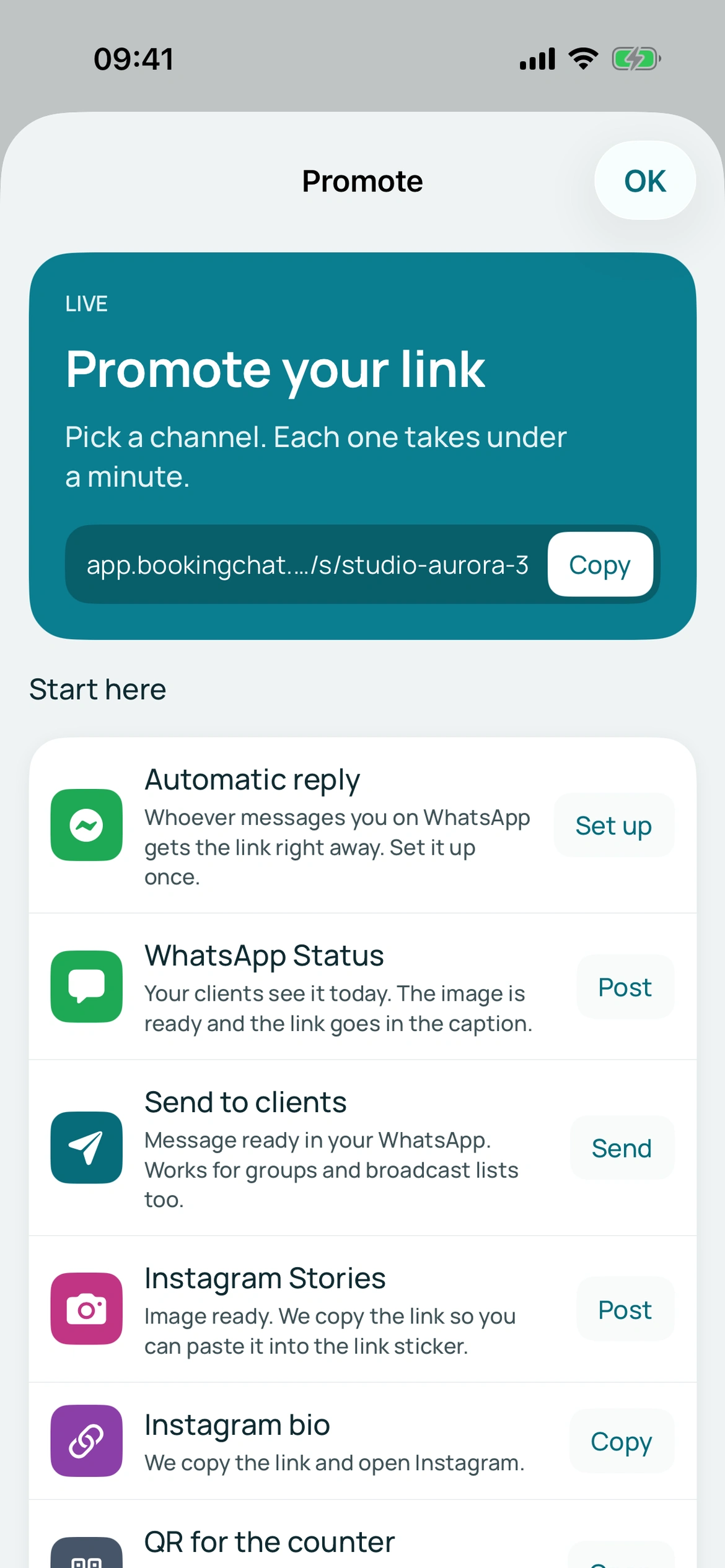
BookingChat’s Share area provides links, Stories and Status images, copyable messages, QR codes and a poster. Business, service and professional links are available.
Use a specific link for a service promotion and the general link to introduce the business. Follow the kit instructions for adding the link to the social profile or post; an image does not become clickable on its own.
BookingChat product demo. The information shown is illustrative.
3. Follow the path to a reservation
Page performance shows visits and bookings. A visit is not necessarily a new customer and does not prove a sale.
If visits do not lead to bookings, check clarity and availability before publishing more. Share with interested or existing contacts without unsolicited bulk messaging.
Put it into practice in your calendar
No card required to try it.
App for Android and iPhone. Your customer books in their browser.