

Manicures and nail services
How can I schedule nail appointments without keeping the next client waiting?
Reserve time for the main service and selected extras before offering an appointment. Separate new sets, maintenance and removal when they take different amounts of time rather than finding out at the appointment.
In this guide
1. Separate services that take different amounts of time
A generic “nails” appointment hides important differences. Applying extensions can take a different amount of time from maintenance or a polish service. Use recognizable names and explain what is included.
Start with the durations you observe in your own work. Adjust them when delays become routine; there is no universal duration.
- Separate extension application from maintenance.
- Explain the conditions for maintenance in the description.
- Say when removal should be added to another service.
2. Reserve time for extras before confirming
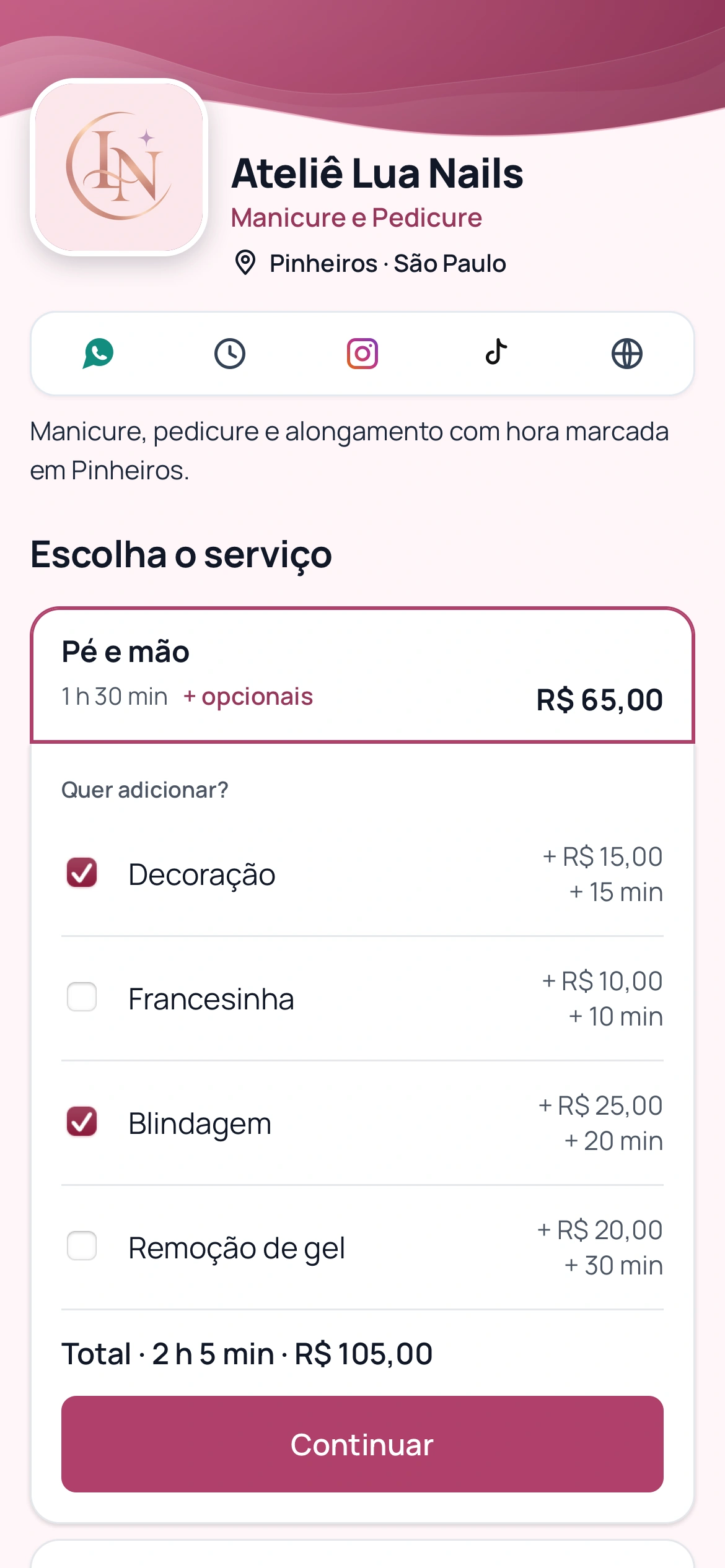
Nail art, strengthening or removal can change both time and price. Finding out when the client arrives may leave too little time before the next appointment. Offer these options while booking.
Illustrative example: a 1-hour-30-minute service, 20 minutes of nail art and 15 minutes of strengthening take 2 hours 5 minutes. Configure your own durations.
BookingChat adds selected extras to the service duration and price. Availability takes the combined duration into account.
Portuguese product demo: the client selects extras and sees the appointment duration and price.
3. Ask for information that helps you prepare
A question such as “New application or maintenance?” helps you prepare. If the answer changes the duration, offer separate services: answering a question does not recalculate the appointment time.
Client questions require an active plan, including the trial. Answers appear in the appointment details in the app; they are not included in WhatsApp messages.
4. Protect your breaks and make rebooking easier
Set your working hours, recurring breaks and one-off blocks. If you see one client at a time, keep calendar capacity at 1.
Share your link once services are ready. Clients book in their browser without installing an app. Agree on maintenance timing based on the service; illustrative intervals are not technical recommendations.
Compare booked time with actual appointment time and adjust services that regularly run over.
Organize services and extras in your calendar
No card required to try it.
App for Android and iPhone. Your customer books in their browser.