

Car washes and detailing
How can a car wash book two cars at once without overloading the team?
Set the number of cars your operation can handle throughout the service. Count bookings that overlap even when they start at different times, and choose a limit your staff and equipment can support.
In this guide
1. Start with actual operating capacity
Space for two cars does not mean you can perform any two services together. Consider staff, equipment and which tasks can happen at the same time.
BookingChat supports 1 to 5 simultaneous appointments per calendar. Calendars inherit the business default unless they have their own override. This is not a single combined limit across all calendars.
Capacity limits overlapping reservations. It does not automatically assign wash bays, equipment or washing and drying stages.
2. Check overlap, not just start times
With capacity 2, a car booked from 9:00 to 10:00 and another from 9:30 to 10:30 fill both places between 9:30 and 10:00. A third appointment at 9:45 does not fit.
The first reservation ends at 10:00. Another may fit if capacity remains available throughout its duration, within working hours and without conflicting blocks.
These times are illustrative. Different start times do not prevent services from overlapping.
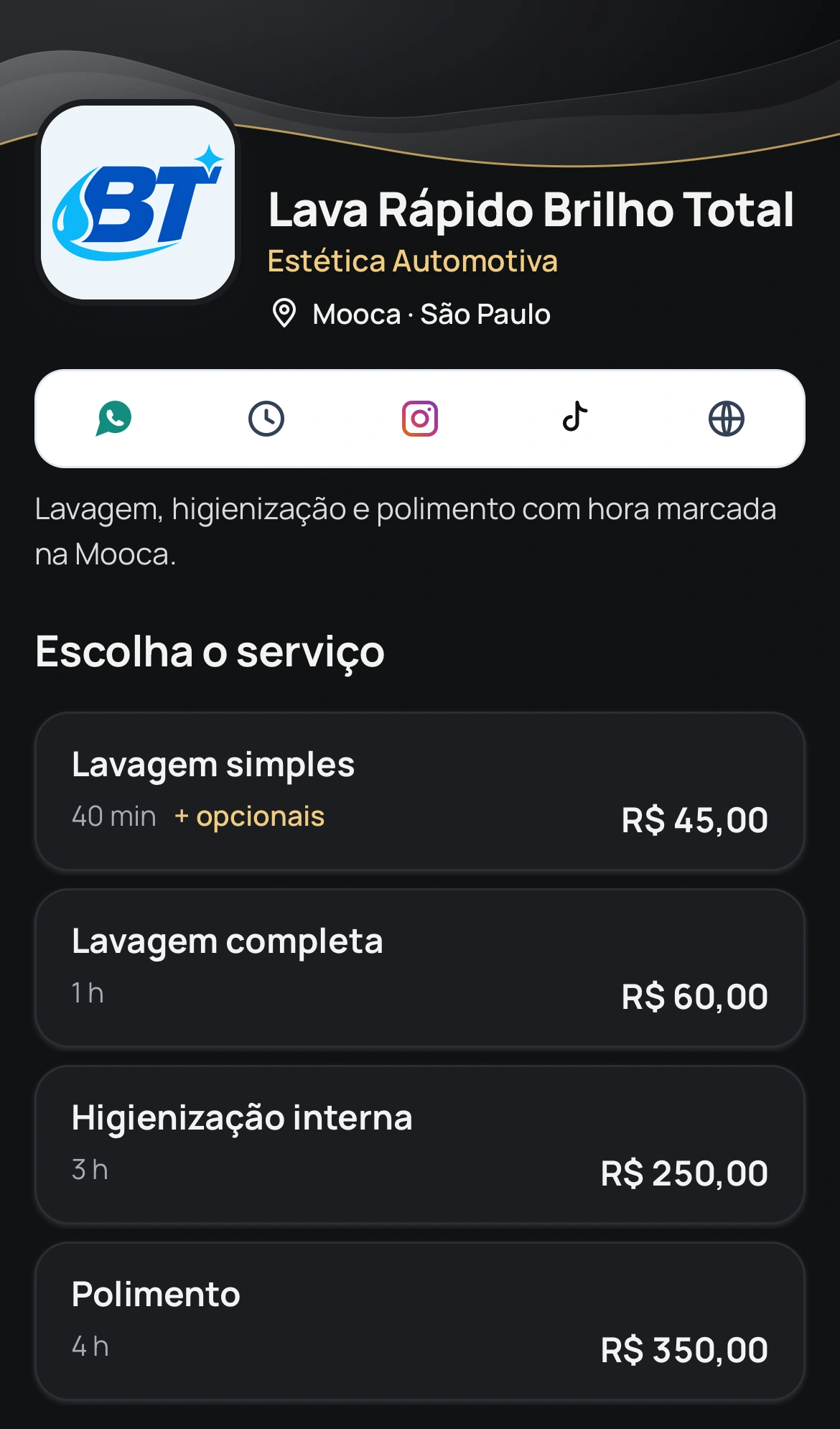
Portuguese car-wash booking demo showing services and durations. The screenshot does not show wash-bay allocation.
3. Include the service and its extras
Set different durations for different jobs. A basic wash and an interior detail do not need to take the same time. Selected extras also add to duration and price.
Do not increase capacity just to take more reservations. Exclusive work or shared equipment creates operating limits that must be respected.
4. Collect vehicle details before arrival
Ask only for details that help prepare the job, such as the model or a particular service need. BookingChat supports questions for specific services or all services.
Questions require an active plan, including the trial. Answers appear in appointment details in the app, not in WhatsApp messages.
Share your link: customers book in their browser while you manage the calendar in the app. Review capacity if the mix of services exceeds what you can handle.
Accept bookings within your calendar capacity
No card required to try it.
App for Android and iPhone. Your customer books in their browser.