

Choosing a booking app
How do I choose a booking app for a car wash?
Choose a calendar that respects how many cars your team can handle throughout the service, includes extra time and collects useful details before arrival. If you need automatic allocation of bays, equipment or wash stages, evaluate that requirement separately.
In this guide
1. Check whether capacity matches your operation
Taking two cars at once may work for a wash but not for a detailed cleaning that needs the whole team. Compare duration, staff and equipment before deciding how many bookings fit.
Illustrative example: two bookings from 9 to 10 a.m. use capacity 2 during that interval. A third at 9:30 does not fit just because it starts later. Ask whether the system checks the full overlap and manages physical resources or just bookings.
- Simultaneous booking limits and full duration.
- Time and price of selected extras.
- The distinction between a person’s calendar and bay management.
2. Test the information collected before a car arrives
Check whether customers can identify the service and provide useful details such as vehicle model and visit reason. Do not assume answers automatically calculate duration if the system does not do that.
During a trial, make a test booking and review the total, availability and changes. Compare included messages, confirmation and cancellation conditions too. If you need inventory, work orders or online payments, assess those requirements explicitly.
- Test a wash with an extra that adds time.
- Check where staff can read the customer’s answers.
- Check required functions before comparing price alone.
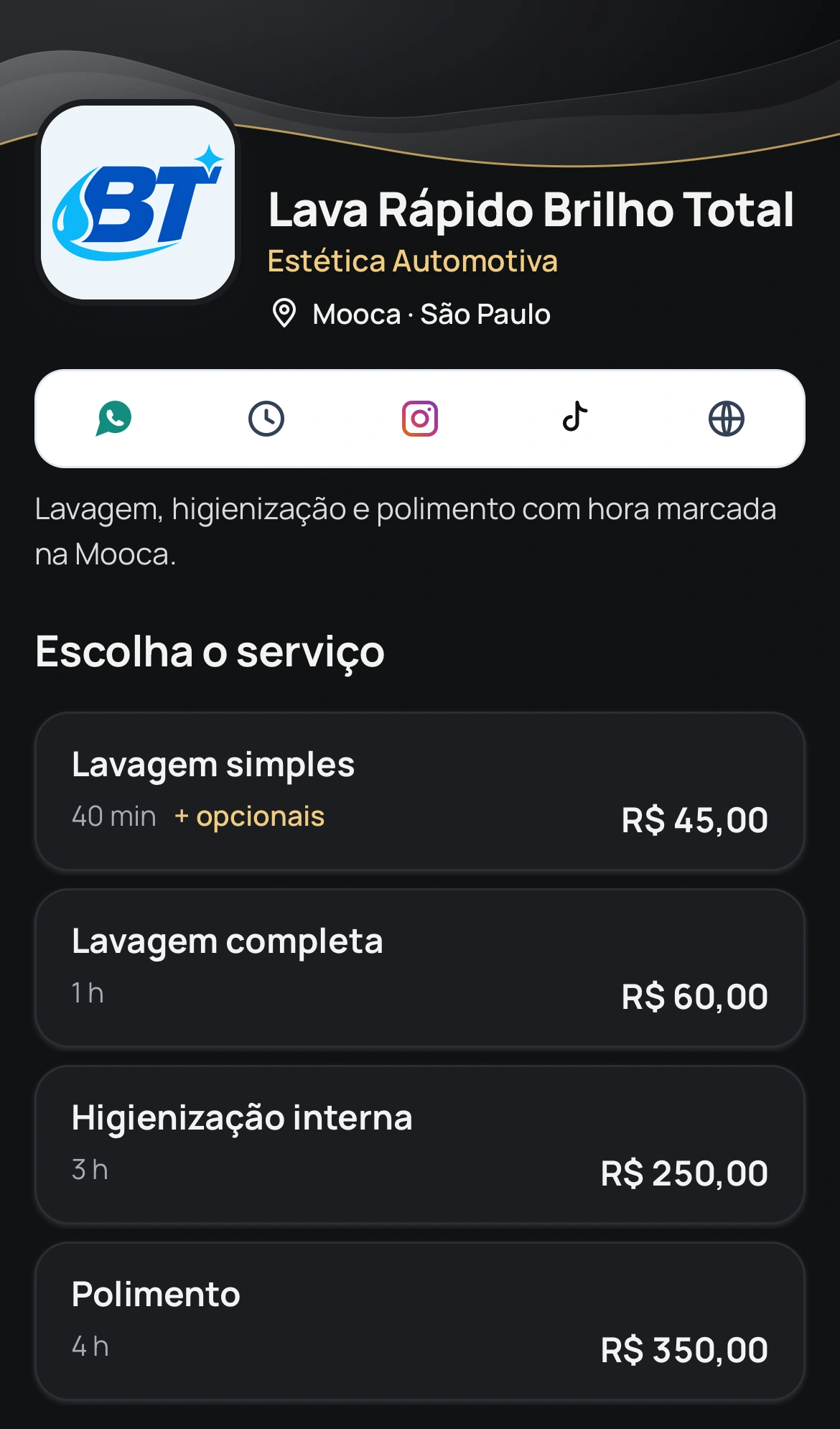
Car-wash demo page with services, durations and prices. Illustrative data; Portuguese screenshot.
3. What BookingChat covers and which limits to consider
This guide is published by the BookingChat team. It supports capacity from 1 to 5 per calendar and checks overlapping bookings throughout the interval. Extras add time and price. Customer questions can collect vehicle details with an active plan; answers appear in the appointment details in the app.
Customers book in a browser without creating an account. WhatsApp communications depend on settings, an active plan and balance. BookingChat does not automatically allocate bays or equipment and does not replace inventory management or work orders. Test your real workflow and check current plans before choosing.
Try it with the services you actually provide
No card required to try it.
App for Android and iPhone. Your customer books in their browser.