

In practice
A customer did not receive their booking WhatsApp message. What should I check?
Check the phone number, whether that message type was enabled and its sending conditions. In BookingChat, also review the plan, balance and message statement. While checking, ask the customer to keep their booking link to view and manage the appointment.
In this guide
1. Check the booking before trying to send anything again
A missing message does not establish that the booking does not exist. First check the appointment and phone number, then whether the expected notification applies to that case.
If someone needs to view or change their time, ask them to keep the link shown at completion. Avoid creating another booking just to trigger a WhatsApp message: that can occupy another space without resolving the sending conditions.
- Check the phone number and appointment details.
- Distinguish a receipt from a confirmation request.
- Review sending conditions before assuming a failure.
2. Understand who receives each notification
Customers receive enabled WhatsApp messages. Owners and team members can receive phone notifications, and email-summary preferences are available. The app bell is not a WhatsApp conversation.
Check preferences and operating-system permissions. Enabling an app preference does not replace permission on the phone.
BookingChat product demo. The information shown is illustrative.
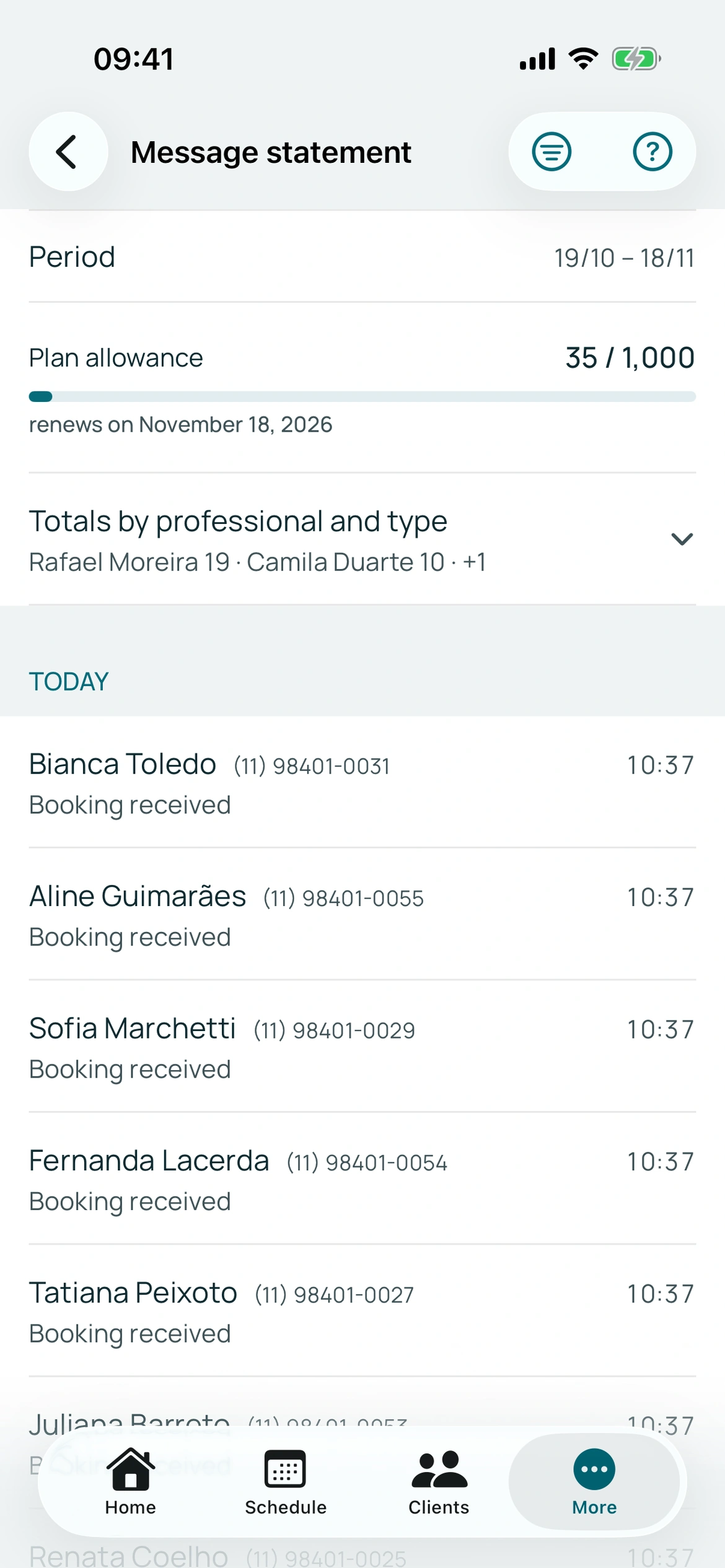
3. Track allowances and the statement
Plans include a message allowance per subscription period. The statement helps review sends, recipients and reasons. Check the current plan for quantities.
WhatsApp sends require an active plan and available balance. Review extra-message packs and their terms if needed. Message packs are not service packages sold to customers.
4. Keep the appointment link
When WhatsApp is not sent, the link remains important for viewing and managing the reservation. Ask customers to save the link shown at completion.
Review the statement and conditions before assuming delivery failed. Receipts and confirmation requests serve different purposes; not all messages have the same buttons.
Put it into practice in your calendar
No card required to try it.
App for Android and iPhone. Your customer books in their browser.