

Auto repair shops
How can a repair shop organize vehicle arrivals and avoid misunderstandings?
Schedule vehicle reception with a clear purpose and ask only for details needed to prepare. Explain whether the time is for assessment, drop-off or a service with a known duration; accepting a vehicle does not promise when repairs will be finished.
In this guide
1. Give the appointment a clear name
“Drop-off for inspection” and “oil change” can represent different appointments. The first may reserve reception and a conversation; the second may cover a job with a known duration.
Explain what the booking guarantees. If completion depends on diagnosis, parts or quote approval, agree on the deadline later. An arrival appointment does not promise the vehicle will be ready within that interval.
2. Ask for a few useful details
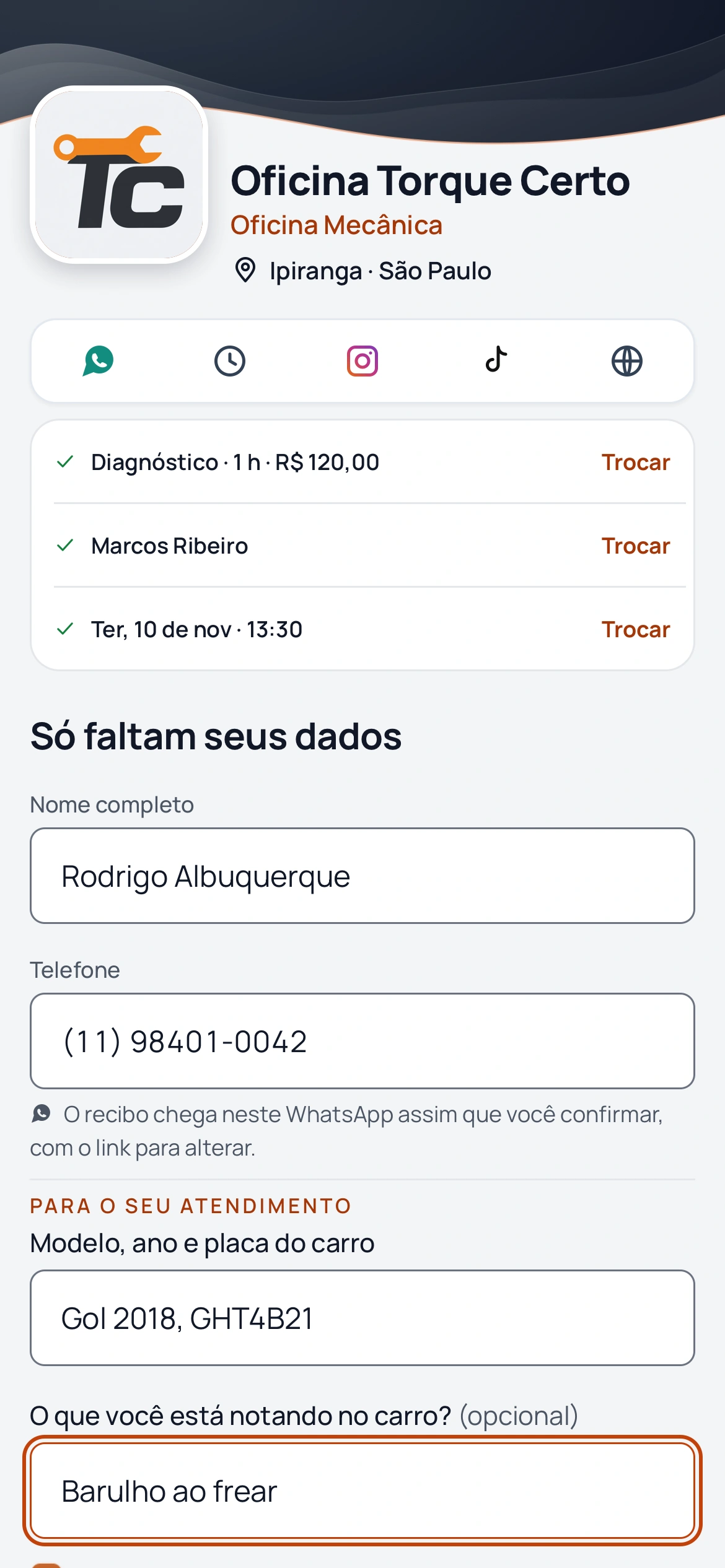
Start with information your team will actually use. BookingChat supports up to three questions, with a choice of which services they apply to.
- Vehicle model and year.
- Requested service or reported issue.
- License plate when needed to identify the vehicle.
Portuguese product demo: the customer answers the repair shop’s questions before confirming.
3. Review answers before the vehicle arrives
Questions appear after contact details when booking through the link. They require an active plan, including the trial. Answers are in the appointment details in the app, not in WhatsApp messages.
An answer does not generate a diagnosis or automatically change the duration. Offer separate services if you need different time allocations and explain which one to choose.
4. Plan the availability of whoever receives the vehicle
Set working hours, breaks and blocks. If one person receives one vehicle at a time, keep that calendar capacity at 1. Increase it only when overlapping visits are manageable throughout the interval.
Capacity does not manage lifts, bays or inventory, or allocate repair stages to mechanics. BookingChat organizes appointments; this workflow does not replace work orders, quotes or parts management.
5. Share the link with clear instructions
Once services, durations and questions are ready, share the repair-shop page. Customers choose a service and time in their browser without installing an app.
Explain whether they should leave the vehicle, where reception is and what to bring. Use service recommendations for relevant preparation instructions.
Review early appointments and increase the reserved time if reception regularly takes longer than planned.
Prepare repair-shop arrivals before the customer comes
No card required to try it.
App for Android and iPhone. Your customer books in their browser.